Handheld 3D Gaussian Splatting · Spatial Capture

XGRIDS PortalCam Standard Kit

Handheld 3D Gaussian Splatting Scanner for Photorealistic Spatial Capture
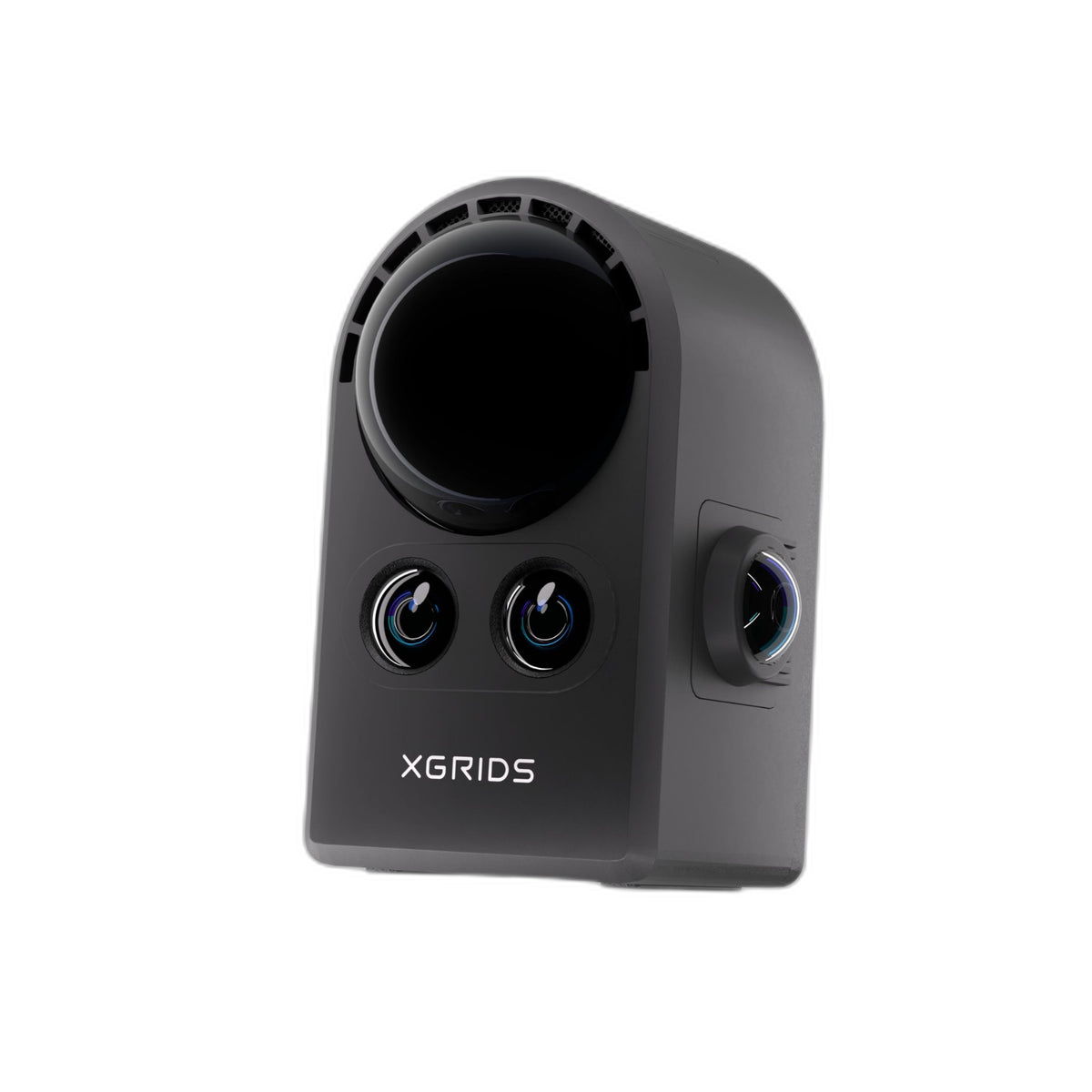
Walk through a space. Press a button. Get a photorealistic, explorable 3D world — shareable by link, viewable on any device. PortalCam fuses 856,000 pts/sec eye-safe LiDAR with a four-camera array and runs SLAM on-device to produce native 3D Gaussian Splatting output in a sub-900g handheld form factor. The Standard Kit ships with PortalCam, battery, tripod, phone mount, case, and a 1-year LCC Basic software subscription. Full specifications →

856k
Pts/Sec LiDAR
4-Cam
Camera Array
<900g
Handheld Weight
60 min
Battery Capture
Outputs
.splat (3DGS) .ply .glTF .usdz Mesh Export Web Link
Sensors
Class 1 LiDAR / 940nm 2x Fisheye 200°x200° 2x Front 100°x85° IMU + AI + GPU
Software
LCC Scan (iOS / Android) Lixel CyberColor Studio Web Viewer Unreal + Unity SDK LCC Basic 1yr included
Kit
Standard Kit — $4,999 Premium Kit — $6,399
Scanner · Battery · Phone Mount · Tripod · Case · 1-yr LCC Basic
Financing
$4,999 $97 /mo est · 72 mo · 8% APR · OAC

Questions before you buy? Rev1 can validate application fit, software workflow, and processing-workstation readiness. Authorized XGRIDS partner in the USA.

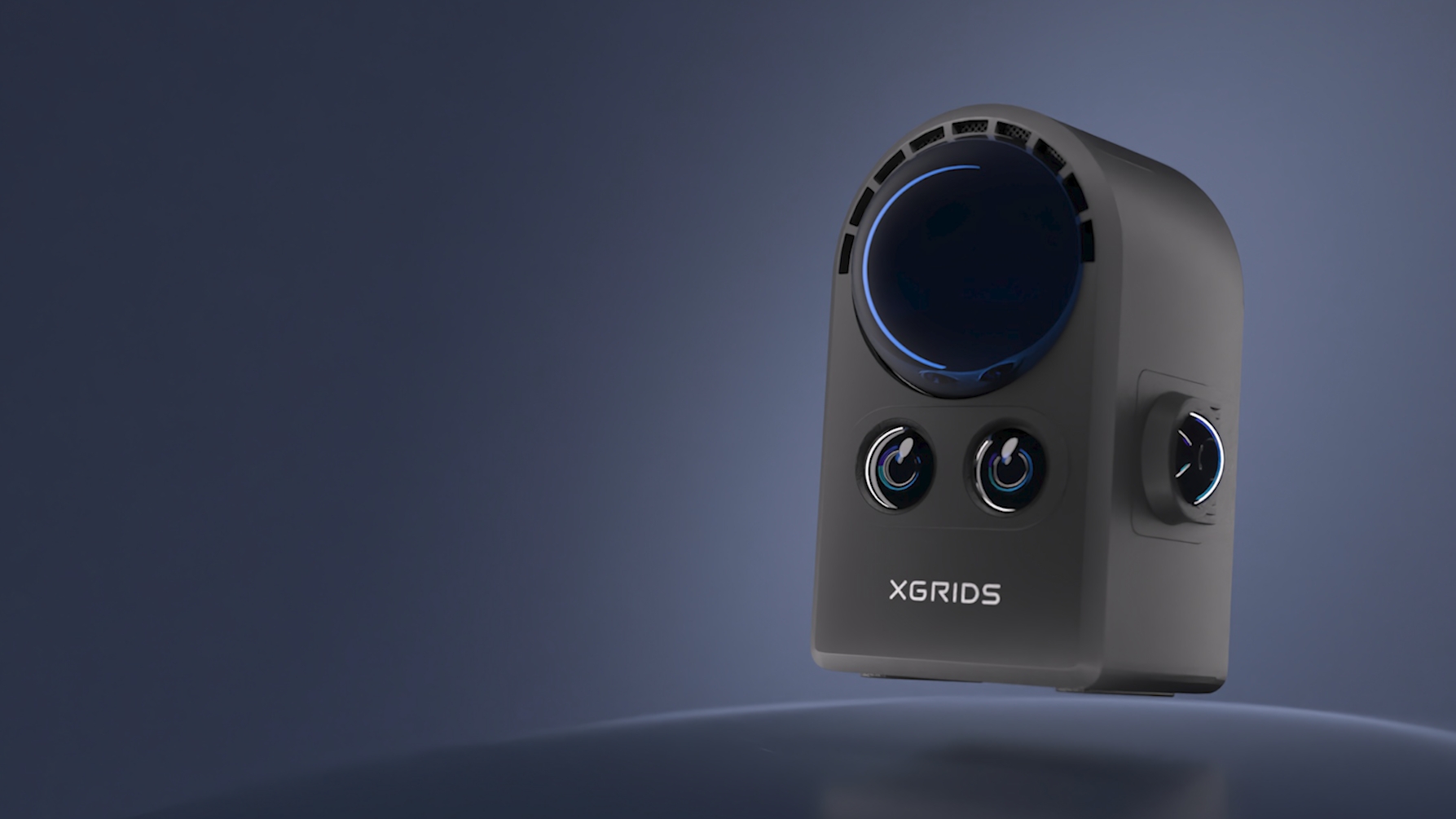
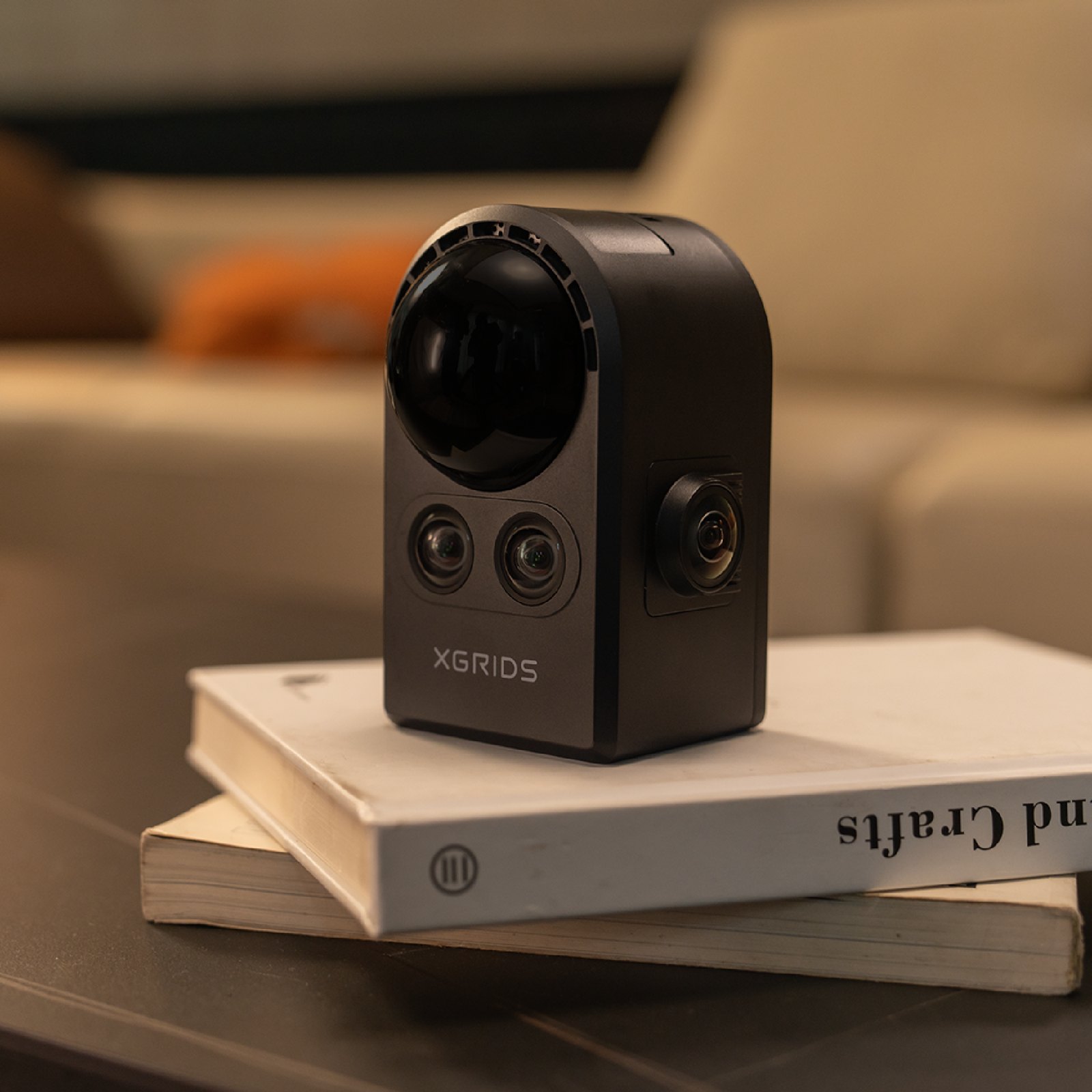
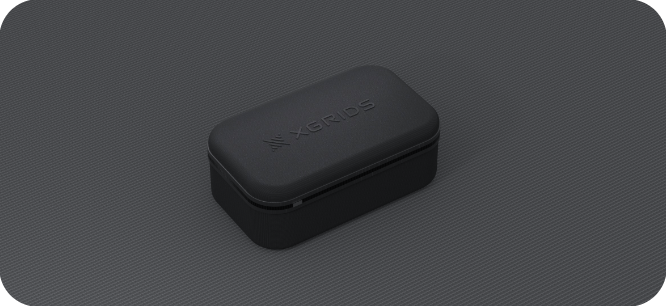
XGRIDS PortalCam Standard Kit handheld 3D Gaussian Splatting spatial-capture device — front view
North America · Authorized Distributor

Your Authorized Source for XGRIDS Scanners in North America.

Rev1 Technologies is the authorized North American distributor for XGRIDS Lixel scanners. Pre-sales consultation, application support, and post-purchase assistance are delivered from Auburn Hills, Michigan.

Pre-Sales Consultation US Phone & Email Support Free US Shipping
Sold & Supported By
Rev1 Technologies logo
Manufacturer
XGRIDS logo
01
A New Category of Capture Device

Not a scanner. Not a camera. A handheld 3D Gaussian Splatting spatial camera.

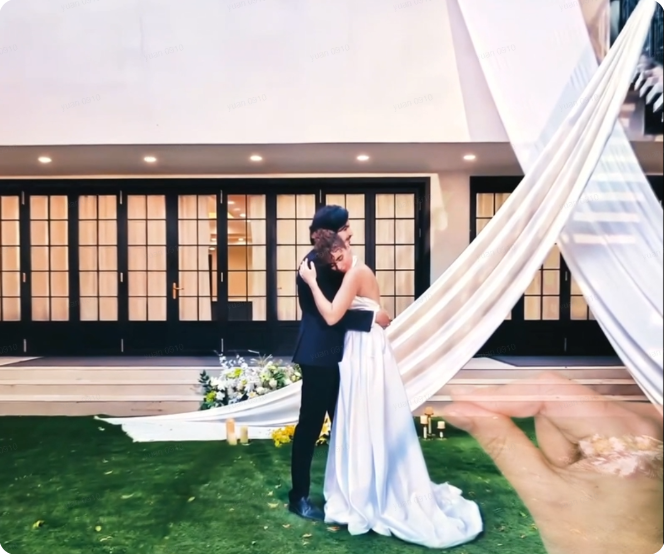

PortalCam captures spaces, it does not photograph them. Walk through a room with PortalCam in one hand and the device fuses 856,000 pts/sec eye-safe LiDAR depth data with imagery from a four-camera array (two 200°x200° fisheye + two 100°x85° front cameras) to build a photorealistic, walkable 3D world. The output is native 3D Gaussian Splatting — not a textured mesh, not a stitched panorama, not a proprietary virtual-tour format. It is a place. Viewers explore it with full 6DoF navigation in any modern browser, no plugin required.

856k pts/s
Eye-Safe LiDAR
Class 1 940nm LiDAR with 180° azimuth x 180° elevation FOV. 0.1-30m at 10% reflectivity, 60m outdoor at 90% reflectivity. The geometry backbone of every PortalCam capture.
4-Camera
Color + Texture Array
2x fisheye (200°x200°) plus 2x front (100°x85°), 1/2 inch CMOS sensors at 4000x3000 px each. Photoreal color and texture data fused with LiDAR depth in real time.
3DGS
Native Output Format
Captures process directly to native 3D Gaussian Splatting (.splat) via LCC Studio. Photorealistic, walkable, web-shareable. No mesh reconstruction, no stitching artifacts.
<900g
Handheld Form Factor
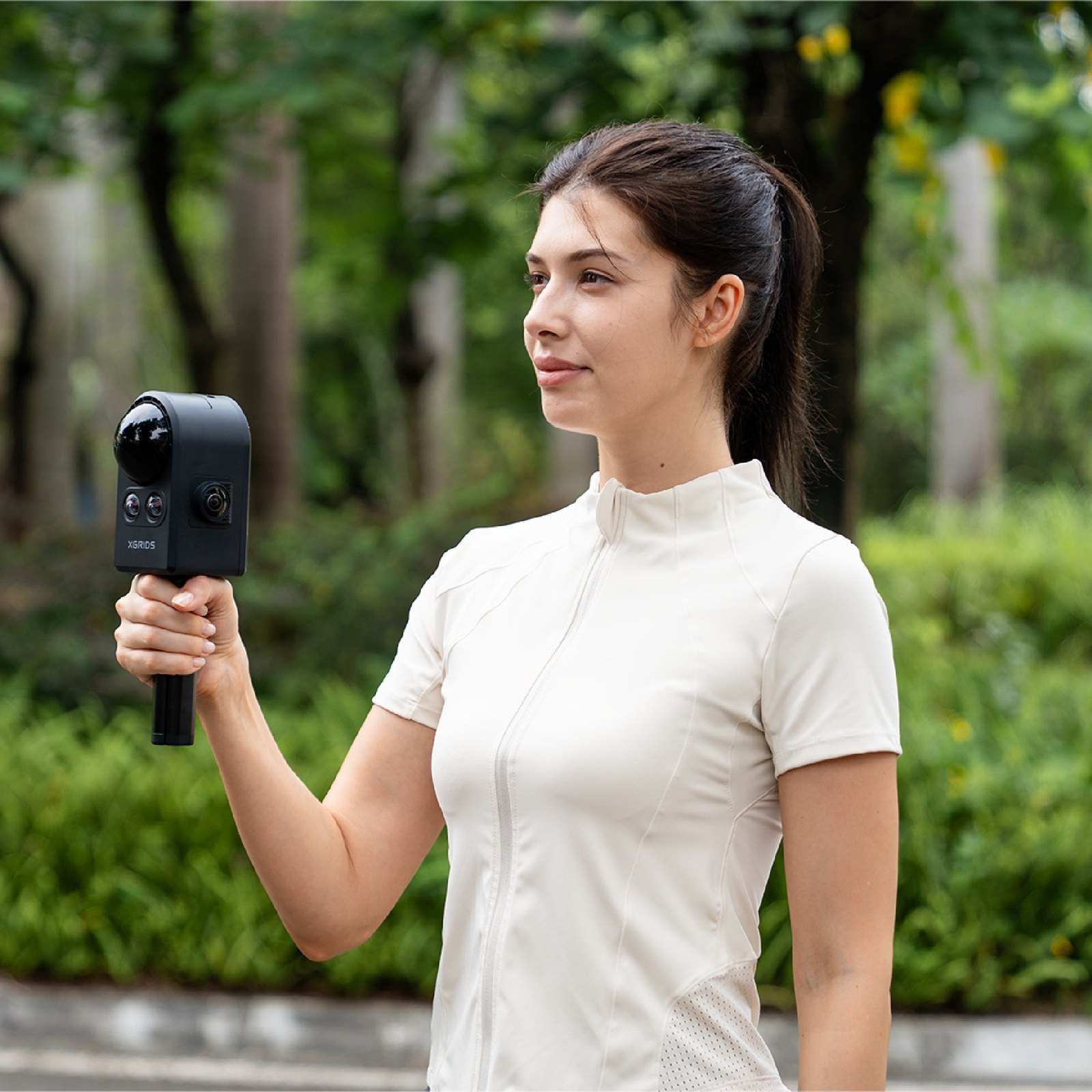
Total weight under 900g (870g typical). One-handed walk-through capture, no tripod required. Onboard AI processing, IMU, GPU, and SLAM run on-device.
60 min
Battery Per Charge
60 minutes of continuous capture per battery, sufficient for most interior jobs. Removable Li-ion at 23.04Wh, USB-C 45W PD recharge in 90 min. Power consumption under 19W.
Web
Browser Sharing
Publish via LCC Studio to a browser-based 3DGS viewer. Recipients get a link, no app install. WebXR-ready for VR headsets. Embeddable on websites via iframe.
02
Capture Workflow

Walk through the space. The device does the rest.

Real-time SLAM, on-device. No setup positions, no markers.


Press the capture button. Walk at normal pace. PortalCam fuses LiDAR depth, four-camera color, and IMU data through on-device SLAM as you move. There are no fixed tripod positions, no stop-and-shoot intervals, and no markers required. A 3,000 sq ft interior is typically captured in 15 minutes — the same scene takes a tripod-based stop-and-shoot scanner 60-90 minutes of position cycling. The capture file is ready to transfer the moment you stop walking.

15 min
3,000 sq ft Capture
Walk-Through
Capture Method
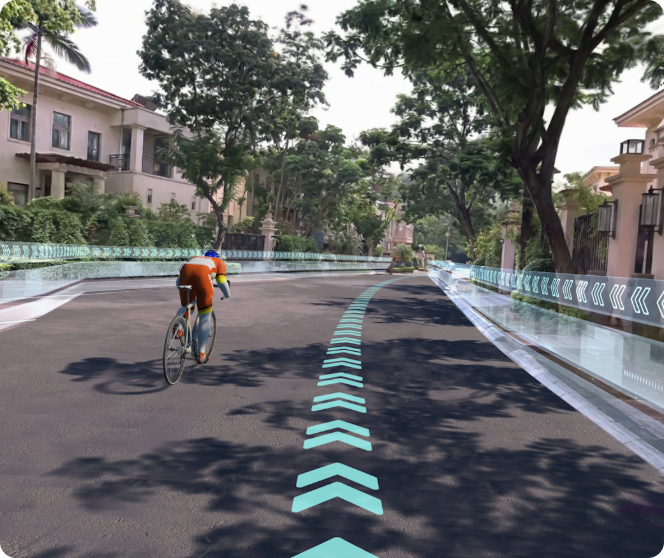
PortalCam walk-through capture — real-time SLAM and 3DGS data fusion in motion
Three steps: Capture → Process → Apply.

The PortalCam workflow is intentionally simple. Step 1: capture in walk-through mode using the LCC Scan iOS or Android app paired by Wi-Fi. Step 2: transfer the capture file to LCC Studio on Windows, click process — SLAM fusion, sensor optimization, and Gaussian Splatting model generation are fully automated. Step 3: apply the result — share by web link, export to Unreal/Unity SDK, generate measurements, or push to Revit via LCC Premium. End-to-end from start of capture to a shareable 3DGS environment in under an hour for typical scenes.

3 Steps
Capture / Process / Apply
One-Click
Automated 3DGS
LCC Studio — one-click automated 3D Gaussian Splatting processing pipeline
Application Review
Not sure PortalCam fits your capture workflow?

Tell Rev1 your target application — real estate listing, film location scout, AEC handover, content creation. We can arrange a demo capture at your location before you buy. See real 3DGS output from your actual space.

03
Purpose-Built Capture

Every sensor chosen for 3DGS. The hardware is why the output is consistent.

3D Gaussian Splatting is fundamentally a different output category than textured mesh. A Gaussian Splat represents the scene as millions of view-dependent volumetric primitives that reproduce lighting, transparency, fine geometry, and reflective surfaces — foliage, glass, glossy floors, complex furniture, fabric — that traditional photogrammetry tools struggle with. But the software is only as good as the capture data it receives. PortalCam’s 8-camera 180° dome, 60 m LiDAR, and on-device SLAM are engineered specifically to feed that pipeline, so output quality is consistent shoot-to-shoot rather than dependent on operator skill at coverage framing.



PortalCam live SLAM output — on-device AI fuses LiDAR depth and 8-camera imagery during walk-through
Live SLAM during captureOn-device AI fuses LiDAR and 8-camera imagery in real time. The companion app shows point cloud coverage as you walk — no gaps, no reshoot.
PortalCam mounted on tripod for stable interior capture — 360-degree field of view
Deploys anywhereCompact enough for residential, hospitality, and retail interiors. One walk-through captures full room geometry without repointing or gap-filling passes.
PortalCam compact desktop tripod setup — handheld or tripod-mounted capture modes
Handheld or tripodWalk it handheld for flexible residential capture or mount on the included tripod for static controlled-environment scans in commercial and retail settings.
04
Capture-to-3DGS Pipeline

On-device SLAM during capture. Automated 3DGS training in LCC Studio.

PortalCam runs SLAM, LiDAR fusion, and IMU integration on-device during capture — the file is consistent and ready the moment you stop walking. Processing in LCC Studio on Windows is a single click: SLAM refinement, sensor optimization, and Gaussian Splatting model training are automated. Typical scenes complete in 30-60 minutes on a modern NVIDIA RTX workstation. There is no manual stitching, no training-pipeline tuning, no specialist 3DGS workflow knowledge required. SDKs are available for custom automated pipelines at scale.

PortalCam Apply step — share by web link, export to Unreal/Unity, push to Revit, or generate measurements from 3DGS output
On-Device
SLAM During Capture
Onboard AI processing unit, IMU, and GPU run SLAM in real time. No PC needed during the walk-through. Capture file is ready to transfer at end of session.
One-Click
3DGS Training in LCC Studio
Import capture, click process. Sensor optimization and Gaussian Splatting model generation are automated. Typical scene: 30-60 minutes on NVIDIA RTX 3060+ workstation.
SDK
Pipeline Automation
Programmatic SDKs available for shops running multi-capture batch processing or integrating PortalCam into custom pipelines. Standard kit ships with one-click GUI workflow.
05
Resolution & Sample Renders

The output quality professionals expect for client delivery.

300 units sold in the first 24 hours of launch
XGRIDS launched PortalCam as the first purpose-built handheld 3D Gaussian Splatting capture device. The 3DGS market had been waiting for hardware tuned to the format. Within 24 hours of opening orders, 300 units shipped to professionals doing real estate, film location scouting, AEC handover, and content creation. PortalCam's combined LiDAR + 4-camera + IMU + on-device SLAM pipeline is what the open-source 3DGS research community needed turned into a production tool.
300+
First-24-Hour Sales
4000 x 3000 px per camera, fused with 856k pts/sec LiDAR.
Each of PortalCam's four cameras captures 12 megapixels (4000 x 3000 px on a 1/2 inch CMOS sensor). LiDAR provides depth at 856,000 pts/sec. The fused 3DGS output preserves photographic detail at any viewing angle — not flattened into a fixed-resolution UV texture. Walls, glossy floors, glass surfaces, and foliage all render with their original photographic quality, which is the practical reason 3DGS has displaced traditional virtual-tour output for high-end real estate and film previs.
12 MP
Per Camera (4 cameras)

PortalCam's combination of dense LiDAR geometry plus photographic-resolution color is the load-bearing reason its 3DGS output is consistent shoot-to-shoot. Photogrammetry tools rely entirely on operator-controlled camera coverage to produce usable geometry; PortalCam removes that variable by sensing geometry directly. Open-source 3DGS pipelines rely on uncontrolled phone or DSLR coverage and many hours of GPU training; PortalCam packages purpose-built capture and one-click processing so the workflow is repeatable.

06
Handheld Form Factor

Sub-900g. One-handed walk-through. 60-minute battery. No tripod required.

The whole point of PortalCam is that capture is mobile and intuitive. Total weight is under 900g (870g typical). All sensing, AI processing, IMU integration, and SLAM run on-device, so there is no laptop tether and no field workstation. The removable 23.04Wh Li-ion battery delivers 60 minutes of continuous capture — sufficient for most interior jobs in one session. USB-C 45W PD recharges 0-100% in 90 minutes. Power consumption stays under 19W during capture. The Standard Kit ships with a tripod for static jobs, but most jobs are captured one-handed.

Sub-900g Total Weight
870g typical including battery. Carbon-fiber housing, magnesium chassis. One-handed walk-through capture for hours without fatigue.
<900 g
60-Minute Battery
Removable 23.04Wh Li-ion battery. Standard Kit includes one battery. Premium Kit doubles capture time with a second battery for back-to-back jobs.
60 min
USB-C PD Charging
45W USB-C Power Delivery charger. 0-90% in 70 min, 0-100% in 90 min. Charge from any USB-C laptop charger or PD power bank in the field.
90 min full
Onboard Processing
AI processing unit, IMU, onboard GPU, and SLAM run on-device. No laptop tether. Capture file is ready the moment you stop walking.
No PC tether
Operating Range
-20 deg C to 45 deg C operating temperature. Indirect sunlight only (not waterproof). LiDAR effective indoor and outdoor up to 60m at high reflectivity.
-20 to 45 C
WiFi 6 Pairing
802.11ax 2.4 + 5GHz Wi-Fi pairs to LCC Scan iOS / Android app at 20m range. USB 3.0 wired transfer for fastest desktop offload.
WiFi 6
07
Output Formats & Export

Native 3DGS plus open exports for every downstream tool.

PortalCam's native output is .splat (3D Gaussian Splatting). LCC Studio also exports .ply (point cloud), .glTF (web-friendly 3D), .usdz (Apple AR), and standard mesh formats compatible with AutoCAD, Revit, SketchUp, Unreal Engine, and Unity. Web sharing is via browser-only link with no plugin install required for viewers. The Unreal and Unity SDK is included for native engine integration.

.splat (3DGS native) .ply (point cloud) .glTF .usdz (Apple AR) Mesh (.obj / .fbx) Web link (shareable) Embedded iframe Unreal Engine SDK Unity SDK Revit (LCC Premium) WebXR (VR headsets) Floor plan + measurements
08
Workflow Integration

Capture → Process → Apply.

XGRIDS designed PortalCam around a deliberate three-step workflow. The capture stage runs in the field with zero PC tether. The process stage runs on a Windows workstation with one click. The apply stage is wherever your audience or pipeline needs the data — web link for clients, Unreal or Unity for film and games, Revit for AEC handover, or AR for mobile presentation.

Step 01
Capture
Walk through the space with PortalCam. LCC Scan iOS or Android app pairs by Wi-Fi for live preview and capture control. On-device SLAM, LiDAR fusion, and IMU integration run during the walk-through. End of session, transfer the capture file.
Step 02
Process
Open Lixel CyberColor (LCC) Studio on Windows. Import the capture. Click process. Automated SLAM refinement, sensor optimization, and Gaussian Splatting training run end-to-end. Typical scene completes in 30-60 minutes on RTX 3060+ workstation.
Step 03
Apply
Share by web link, embed via iframe, deploy to Unreal Engine or Unity, push to Revit (LCC Premium), or generate floor plans and measurements. The single capture supports every downstream output without re-shooting.
09
Applications

Four industries. One device. Unlimited scenes.

PortalCam targets professionals who need to capture, share, and monetize real spaces at a speed and quality not previously available at this price point. Real estate agents publish photoreal walk-through listings; film and virtual-production teams scout locations and capture LED-wall background plates; content creators build 3D worlds for VR and social; AEC handover packages ship as walkable 3DGS deliverables; and personal users preserve life moments as 3D spaces.

PortalCam real estate and interior space capture
Real Estate & Interiors
Photoreal listing walk-throughs and interior space documentation. Capture, publish, share.
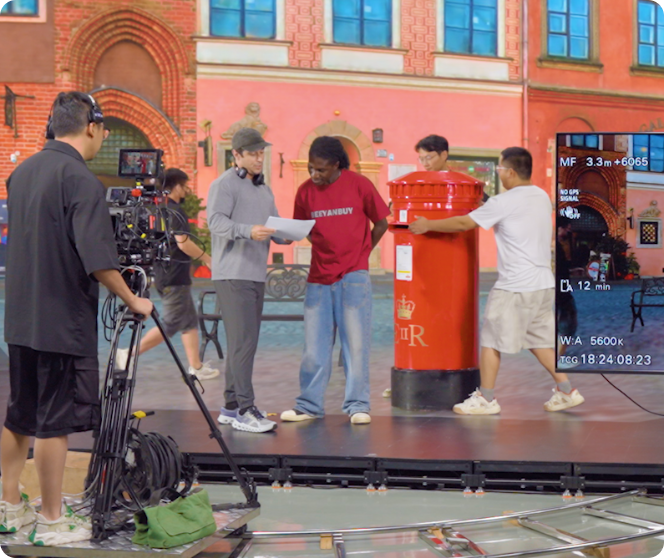
PortalCam film and virtual production location scan
Film & Virtual Production
Location scouting, LED-wall background plates, and VFX pre-vis at production speed.
PortalCam AEC and building documentation scan
AEC & Handover
As-built 3DGS deliverables for BIM workflows. Walkable spatial models your clients can explore.
PortalCam content creation and 3D world capture
Content & Heritage
3D scenes for VR, social, and immersive web. Cultural sites, museums, and personal spaces.
10
What’s in the Kit

PortalCam Standard Kit — everything included to start capturing on day one.

The Standard Kit ships as a complete capture-ready package: scanner, battery, phone mount, tripod, protective case, and a 1-year LCC Basic software subscription. No additional purchases required for immediate field use. Optional accessories including the extension pole are available separately through Rev1.

XGRIDS PortalCam spatial camera product shot — front three-quarter view with LiDAR lens and tri-camera array
XGRIDS PortalCam handheld spatial camera — front view
Included
PortalCam Scanner
856,000 pts/sec LiDAR · 4-camera array · on-device SLAM · sub-900g handheld body.
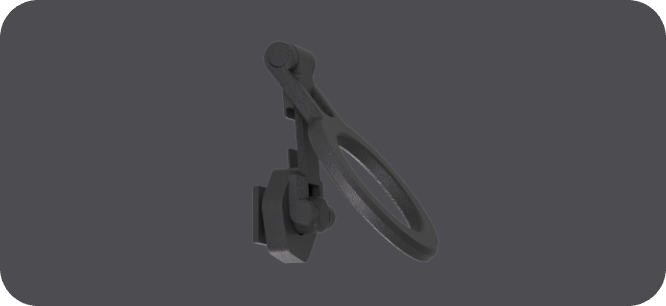
PortalCam phone mount clip accessory
Included
Phone Mount
Clip-on bracket mounts your phone for live LCC Studio preview and scan monitoring during capture.
PortalCam protective carry case
Included
Protective Case
Rigid XGRIDS carry case with custom foam interior. Field-ready protection for the scanner and accessories.
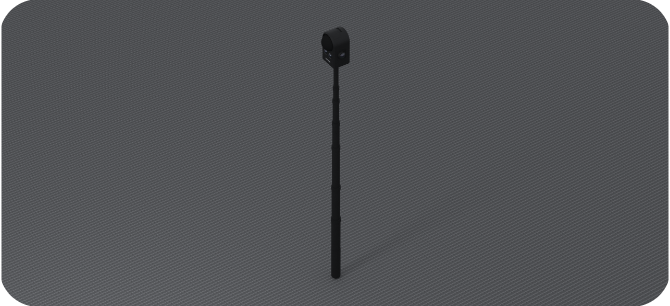
PortalCam extension pole for elevated scanning
Optional
Extension Pole
Elevate the scanner for ceiling-level scans and hard-to-reach geometry. Sold separately through Rev1.
11
Software Ecosystem

Lixel CyberColor Studio. Web viewer. Game-engine SDK. BIM plugin.

PortalCam is paired with the Lixel CyberColor (LCC) software ecosystem — the production pipeline that turns raw capture into deliverable 3DGS. The Standard Kit includes a 1-year LCC Basic subscription covering full 3DGS model generation, web sharing, measurement tools, annotations, and the Unreal Engine SDK. Premium Kit upgrades to LCC Premium for one year, which adds Map Fusion, HD Enhancement, AI Dynamic Object Removal, and the LCC for Revit BIM plugin.

Lixel CyberColor Studio
Windows desktop processing application. Imports PortalCam captures and produces native 3DGS, .ply, .glTF, .usdz, mesh, floor plans, and measurements via one-click pipeline.
Included with kit
LCC Scan App
Free iOS / Android companion app. Pairs by Wi-Fi to PortalCam for live capture preview, walk-path guidance, and session control. Wireless transfer to LCC Studio.
Free download
Web 3DGS Viewer
Browser-only photoreal 3DGS viewer. Recipients open a link, no plugin install. WebXR-ready for VR headsets. Embeddable on websites via iframe.
Included with kit
Unreal Engine + Unity SDK
Native 3DGS asset import for both major real-time engines. Supports lighting, animation, and composition inside the engine for film, games, and virtual production.
Included with kit
LCC for Revit (Premium)
The only Gaussian Splat-to-BIM plugin on the market. Imports PortalCam captures into Revit for AEC as-built handover. Bundled with PortalCam Premium Kit.
Premium Kit only
SDK / Pipeline Automation
Programmatic SDKs for shops running batch processing or integrating PortalCam into custom pipelines. Available on request from Rev1 or XGRIDS.
Contact Rev1
12
Competitive Comparison

PortalCam vs. spatial-capture and photogrammetry alternatives.

We benchmark the PortalCam Standard Kit against the recognized spatial-capture devices buyers cross-shop — tripod virtual-tour platforms, survey-grade tripod scanners, phone-based photogrammetry apps, and the intra-brand Lixel L2 Pro for survey-quality SLAM. The goal is buyer clarity: where PortalCam leads on speed, native 3DGS output, and price, and where a different device genuinely fits the application better.

Device
Capture Method
Output Format
Price & Subscription
Where It Fits
Matterport Pro3tripod virtual-tour platform · $5,995
Stop-and-shoot tripod cycle (60-90 min for 3,000 sq ft)
Proprietary virtual-tour format only (no native 3DGS, no engine export)
$5,995 hardware · $69-309/mo mandatory subscription to share scans
The default for indoor virtual-tour real estate when a customer specifically requests that format and the recurring subscription is acceptable. PortalCam captures the same scene in 15 minutes vs 60-90, ships native 3DGS, and has no monthly lockout on your own data.
Leica BLK360 G2survey-grade tripod scanner · ~$21,500
Tripod-based imaging laser scan, multiple positions per scene
Survey-grade point cloud (E57, RCP). No native 3DGS.
~$21,500 hardware · HxDR cloud subscription required
Survey-grade AEC and BIM workflows where millimeter geometric accuracy is mandatory and 3DGS photorealism is not the deliverable. PortalCam is not a survey-replacement; it is a photoreal walkable-experience tool. Different jobs.
Polycam Prophone photogrammetry app · ~$240/yr
iPhone / iPad camera + LiDAR app, manual coverage
Mesh + texture (some 3DGS via cloud beta)
~$20/mo or $240/yr subscription · $0 hardware (uses your phone)
Hobbyist and light-pro phone-based photogrammetry where capture fits in a handheld and small-object detail is acceptable. PortalCam outclasses on speed, scene size, outdoor LiDAR range, native 3DGS, and one-click processing — for any operator capturing client deliverables daily.
XGRIDS Lixel L2 Prointra-brand sibling · survey-grade SLAM
Handheld SLAM laser scanner
Survey point cloud (.las / .e57). Geometry-first, not photoreal.
Different price tier · LCC ecosystem shared
Step over to L2 Pro inside the XGRIDS family when the deliverable is millimeter-grade survey point cloud rather than photoreal 3DGS — AEC handover, infrastructure, plant scanning. PortalCam's strength is photoreal walkable space.
Rev1 takeaway: the PortalCam Standard Kit is the right tool for photoreal walkable 3DGS at the speed of a walk-through capture, with no mandatory recurring subscription and a one-time $4,999 hardware spend. Pick a virtual-tour platform when a client mandates that specific format. Pick a survey-grade scanner when millimeter geometry is the deliverable. Pick PortalCam when the audience needs to walk through the space and see it as it is. Application review with Rev1 is the fastest way to confirm fit before quote.
Application Review
Comparing PortalCam against another spatial-capture device?

Send Rev1 your target use case and the alternative you are evaluating. We will tell you honestly which platform fits the application — and arrange a demo capture if that helps the decision.

13
Technical Specifications

XGRIDS PortalCam Standard Kit — full specifications.

LiDAR
Classification
Class 1 / 940nm — eye-safe
Point Rate
856,000 points/second
Range
0.1-30m at 10% reflectivity · 60m at 90% reflectivity
Field of View
180° azimuth x 180° elevation
Camera Array
Configuration
4 cameras · 2x fisheye + 2x front
Fisheye FOV
200° x 200° (each)
Front FOV
100° x 85° (each)
Image Resolution
4000 x 3000 px per camera (12 MP)
Sensor
1/2 inch CMOS
Onboard Compute
Processing
AI processing unit + onboard GPU
SLAM
On-device, real-time during capture
IMU
Integrated 6-DoF IMU for pose tracking
Battery & Power
Battery Capacity
23.04 Wh removable Li-ion
Battery Life
60 minutes continuous capture
Charge Time
0-90% in 70 min · 0-100% in 90 min
Power Consumption
Under 19W during capture
Power Adapter
100-240V 50-60Hz · USB-C 45W PD
Connectivity
Wi-Fi
802.11ax (Wi-Fi 6) · 2.4 + 5GHz
Wireless Range
20m (65.6 ft) to LCC Scan app
Bluetooth
Bluetooth 5.2
Wired
USB 3.0 (data + charge)
Physical
Weight
Under 900g (870g typical)
Operating Temperature
-20 deg C to 45 deg C
Environmental
Indirect sunlight only · not waterproof
Output Formats
Native
.splat (3D Gaussian Splatting)
Point Cloud
.ply
Web 3D
.glTF
Apple AR
.usdz
Mesh
.obj · .fbx (via LCC Studio export)
Web Sharing
Browser-based 3DGS viewer link
Software (Included)
Capture App
LCC Scan iOS / Android (free)
Processing
Lixel CyberColor Studio (Windows)
Subscription
LCC Basic 1yr included with Standard Kit
Game Engines
Unreal Engine + Unity SDK
Standard Kit Contents
In the Box
PortalCam body · 1x battery · tripod · phone mount · protective cover · transit case · USB-C 45W charger · cable · LCC Basic 1yr
15
Authorized Partner

XGRIDS hardware with Rev1 application support.

Sold & Supported By
Rev1 Technologies logo
Manufacturer
XGRIDS logo

A handheld 3DGS spatial-capture device is a workflow decision, not just a hardware purchase. Rev1 helps validate the target application, the LCC software workflow, the processing-workstation configuration, and the deliverable format your audience or pipeline needs — before PortalCam is deployed in the field.

01
Same-Day Setup & First Capture

Rev1 helps install LCC Scan and LCC Studio, activates your subscription, pairs the device, and walks through your first capture with you. You leave knowing how to use it — not figuring it out from a manual.

02
Demo Capture & Workflow Training

Not sure PortalCam fits the application? Rev1 can arrange a demo capture at your location before you buy and train you on the full pipeline — capture technique, LCC Studio processing, and export to your target deliverable platform.

03
US-Based Engineering Support

Direct line to Rev1 engineering for application-specific advice on real estate sharing, film production pipelines, Revit integration, and Unreal/Unity virtual production — from Auburn Hills, Michigan. Authorized XGRIDS partner in the USA.

Why it matters: Buying through Rev1 means the device is paired with workflow validation, US application support, and demo-capture access — not treated as a direct-import crate with no pipeline ownership.
16
Buyer FAQ

XGRIDS PortalCam questions buyers ask before quoting.

What is the difference between PortalCam Standard and Premium kits?
Both kits include the same PortalCam hardware. The Standard Kit ($4,999) ships with one battery (60 minutes of continuous capture) and a 1-year LCC Basic software subscription. The Premium Kit ($6,399) adds a second battery and upgrades the software to LCC Premium for 1 year, which adds Map Fusion (multi-scan stitching), HD Enhancement, AI Dynamic Object Removal, and the LCC for Revit BIM plugin. Standard is the right kit for evaluating the workflow or for single-session capture jobs. Premium is the production kit for professionals running back-to-back captures or delivering BIM-grade outputs.
What output formats does PortalCam produce?
The native output is .splat (3D Gaussian Splatting). LCC Studio also exports .ply (point cloud), .glTF (web-friendly 3D), .usdz (Apple AR), and standard mesh formats compatible with AutoCAD, Revit, SketchUp, Unreal Engine, and Unity. Web sharing is via browser-only link with no plugin install required for viewers. The Unreal and Unity SDK is included for native engine integration.
How long does it take to capture and process a typical scene?
Capture is real-time at walking pace. A 3,000 sq ft interior is typically captured in 15 minutes. PortalCam runs SLAM, LiDAR fusion, and IMU integration on-device during capture, so the file is ready to transfer the moment you stop walking. Processing in LCC Studio for the same scene typically completes in 30-60 minutes on the recommended workstation, fully automated with one click. No manual stitching, no specialist 3DGS training pipeline.
Do I need a powerful workstation to process the scans?
LCC Studio runs on Windows desktop. Recommended specs are a modern NVIDIA RTX GPU (RTX 3060 or better, 8GB VRAM minimum), 32GB RAM (64GB for very large captures), and 100GB free disk per project. CPU and storage are not the bottleneck — 3DGS training is GPU-bound. Cloud processing options are on the LCC roadmap. Capture itself runs entirely on the PortalCam device with no PC required during the walk-through.
Can PortalCam captures be viewed on the web?
Yes. LCC Studio publishes captures to a browser-based 3DGS viewer that works on desktop and mobile with no plugin install. Viewers receive a link and explore the space with full 6DoF navigation, measurement tools, and annotations. The viewer is also embeddable on websites via WebGL iframe. For VR, captures can be viewed in WebXR-capable headsets directly from the browser.
What is included in the PortalCam Standard Kit?
The Standard Kit includes the PortalCam capture device, one rechargeable Li-ion battery (60-minute runtime), a tripod, a phone mount for the LCC Scan app, a protective cover, a hard transit case, a USB-C 45W PD charger and cable, and a 1-year subscription to LCC Basic software (covers 3DGS model generation, web link sharing, measurement tools, and the Unreal Engine SDK). Free LCC Scan iOS/Android app is downloaded separately.
How does PortalCam compare to traditional photogrammetry apps and software?
Traditional photogrammetry tools build 3D models from many overlapping still photos, which is operator-intensive and typically takes hours of capture plus hours of processing per scene. PortalCam fuses 856,000 pts/sec LiDAR with a four-camera array and runs SLAM on-device, capturing in walk-through real time at roughly 10x the speed. The output is native 3D Gaussian Splatting — photorealistic walkable space — rather than a textured mesh. PortalCam also handles featureless surfaces and large outdoor environments where image-only photogrammetry traditionally fails.
How does PortalCam compare to open-source 3DGS and neural-rendering pipelines?
Open-source 3DGS and NeRF pipelines require many overlapping photos or video frames, hours of GPU training time, and deep technical knowledge to tune. PortalCam ships purpose-built capture hardware (LiDAR + 4-camera + IMU) and a one-click LCC Studio processing pipeline. The result is production-ready 3DGS in 30-60 minutes per scene with no training tuning. Researchers and hobbyists can still use open-source tools, but PortalCam is the path for professionals who need predictable, deliverable output today rather than a research project.
Can PortalCam captures be used in Unreal Engine or Unity for virtual production?
Yes. The Unreal Engine and Unity SDK is included with every PortalCam purchase. Captures import as native 3DGS assets that can be lit, animated, and composited inside the engine. Film and virtual-production studios use PortalCam for location scouting, LED-wall background plates, and previs environments. The .glTF and mesh exports also support standard DCC pipelines (Maya, Blender, Houdini) where 3DGS is not yet native.
Is business financing available?
Yes. The Standard Kit at $4,999 qualifies for business financing at approximately $97/month over 72 months OAC. Premium at $6,399 is approximately $124/month. Rev1 Technologies handles the financing application directly. Call Rev1 or use the Request a Quote button to start the process.
Ready for answers?
Talk through the application before the quote.

Use the FAQ as the starting point. Rev1 can confirm workflow, software, processing-workstation, and demo-capture options before the PortalCam Standard Kit is ordered.

Ready to Ship

Add to Cart or talk to Rev1 first.

Rev1 can validate application fit, software workflow, and processing-workstation readiness before you commit. Authorized XGRIDS partner in the USA.