XGRIDS · Autodesk Revit Plugin · Scan-to-BIM

XGRIDS LCC for Revit

Scan to BIM. Lixel Scanner to Autodesk Revit — Direct.

LCC for Revit is the Scan-to-BIM plugin for Autodesk Revit, included with the LCC CyberColor Premium license. Import Lixel scanner point cloud data directly into Revit for automatic BIM element detection, as-built documentation, and IFC export — no manual conversion required. Technical specs →

Direct
Revit Import
IFC
BIM Export
AEC
Target Workflow
Included
with LCC Premium
Workflow
Scan-to-BIM Point Cloud Import BIM Element Detection IFC Export
Scanners
L2 Pro K1 K2 PortalCam
License
Included: LCC Premium ($2,500/yr) Windows

Included with LCC CyberColor Premium. Rev1 bundles with any Lixel scanner as a single AEC hardware-plus-software package.
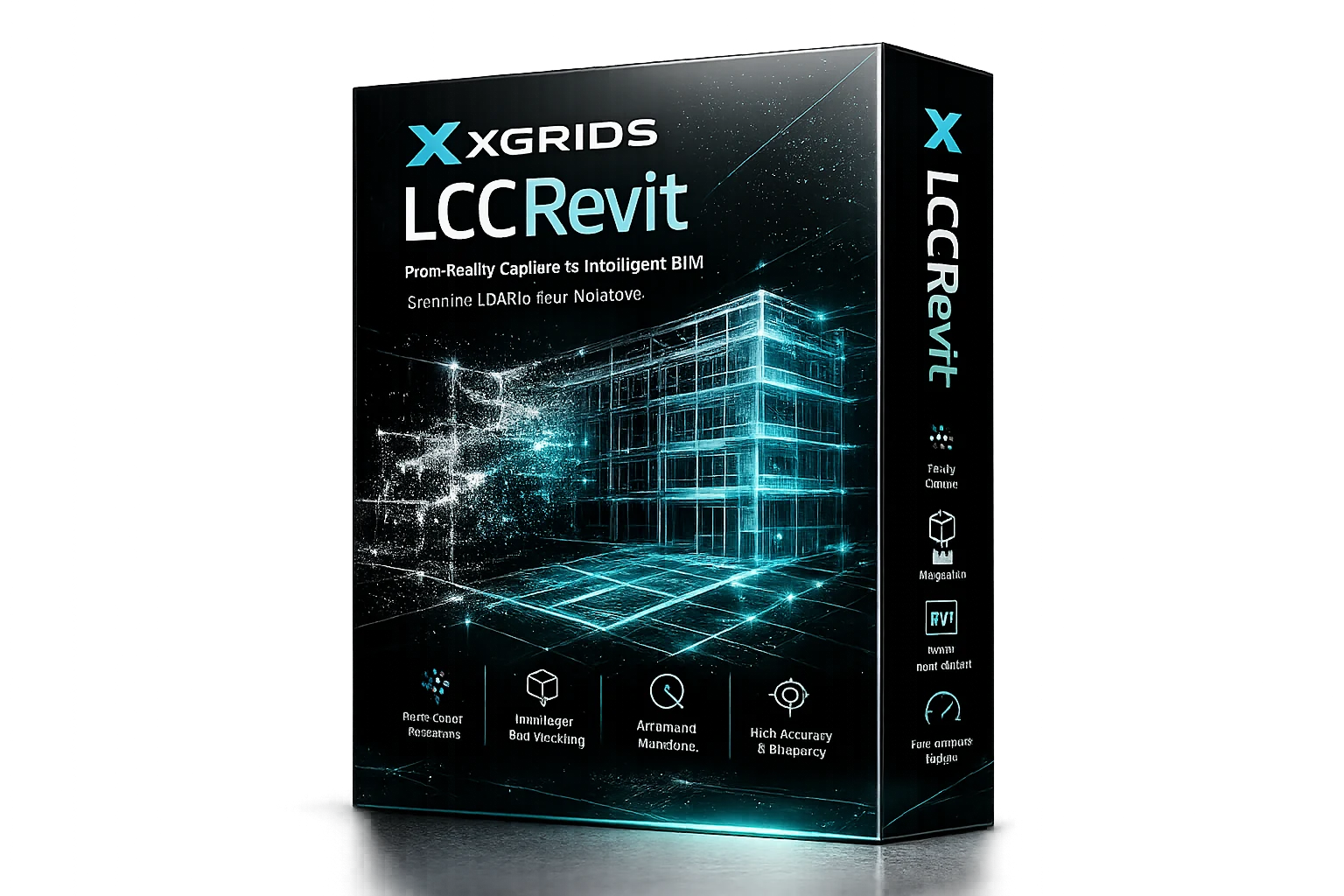
Scan-to-BIM LCC for Revit plugin — Lixel point cloud data imported into Autodesk Revit for precise Scan-to-BIM modeling
North America · Authorized Distributor

Your Authorized Source for XGRIDS Software and Scanners in North America.

Rev1 Technologies is the authorized North American distributor for XGRIDS Lixel scanners and LCC software. AEC workflow consultation, license configuration, and US-based support from Auburn Hills, Michigan.
AEC Workflow Consultation Same-Day License Activation Hardware + Software Bundles
Sold & Supported By
Rev1 Technologies logo
Software Publisher
XGRIDS logo
01
Overview

Scan a space. Walk it into Revit. Ship the BIM.

LCC for Revit bridges the gap between field capture and BIM delivery. AEC teams scan a site with a Lixel scanner, process the point cloud in LixelStudio, then use the LCC for Revit plugin to bring that data directly into Autodesk Revit — with automatic detection of architectural elements, structural members, and MEP routing. The result is a Revit-native BIM model from a physical space scan, in a fraction of the time of manual as-built drafting.

The Scan-to-BIM Pipeline

From walk-through scan to Revit BIM in one connected workflow.

Traditional as-built documentation requires manual measurement, hand drafting, and multiple site visits. The Lixel + LCC for Revit pipeline captures a complete 3D representation of the space in a single walk-through, then imports directly into Revit. AEC teams cut documentation time significantly and produce more accurate as-built BIM models as a result.
Captures complete 3D site data in a single scan session
Direct Revit import — no intermediate format conversion
Automatic BIM element detection inside Revit
IFC export for OpenBIM deliverables and documentation
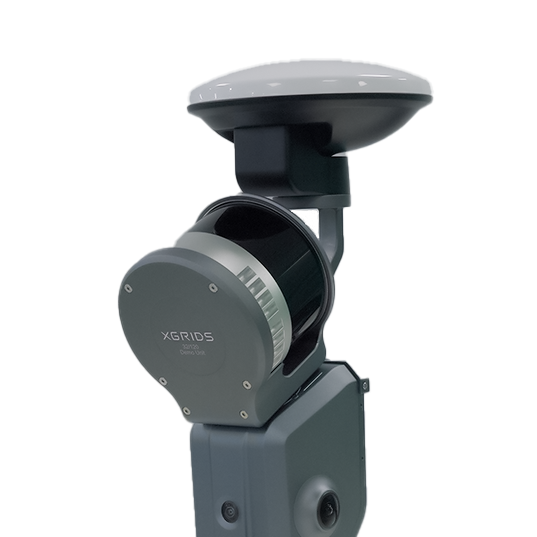
Lixel L2 Pro handheld SLAM scanner capturing site data for Scan-to-BIM workflow via LCC for Revit
02
Core Features

Six capabilities that close the scan-to-BIM gap.

Import
Direct Revit Point Cloud Import
Import Lixel scanner point cloud data directly into Autodesk Revit without manual format conversion or third-party registration software. The plugin handles the data pipeline from LixelStudio output to Revit-hosted point cloud.
Detect
Automatic BIM Element Detection
The plugin assists in detecting walls, floors, ceilings, structural members, and openings from the imported point cloud. Reduces manual element placement time compared to traditional scan-to-BIM workflows.
IFC
IFC Export — OpenBIM Delivery
Export to IFC 2x3 and IFC 4 for OpenBIM project delivery, structural coordination, and handover documentation. Compatible with all major IFC-capable AEC platforms and BIM coordination tools.
L2 Pro
Survey-Grade Accuracy Input
When used with the Lixel L2 Pro and built-in RTK, LCC for Revit receives survey-grade point cloud data with 1 cm relative accuracy and absolute positioning for large-site BIM documentation.
Revit
Native Revit Environment
Works inside the standard Autodesk Revit interface. AEC teams use familiar Revit tools alongside LCC for Revit capabilities — no separate application to learn or maintain.
Offline
Perpetual License Option
For air-gapped environments, the LCC Perpetual license ($10,000 one-time, dongle-based) includes the LCC for Revit plugin with no cloud dependency. Suitable for government, defense, and secure facility documentation.
03
Scan-to-BIM Workflow

Five steps from empty building to Revit BIM.

01
Scan
Walk the site with a Lixel L2 Pro or K1. The scanner captures LiDAR point cloud data and panoramic color imagery simultaneously. One walk-through covers most building floors.
02
Process
Transfer the .las file to LixelStudio. Apply colorization, precision leveling, and edge filtering. The processed point cloud is now ready for BIM import.
03
Import
Open Autodesk Revit. Use the LCC for Revit plugin to import the processed point cloud directly into the Revit project environment.
04
Model
Use the imported point cloud with automatic BIM element detection to place walls, floors, structural elements, and openings. Review and adjust using standard Revit tools.
05
Deliver
Export the BIM model to IFC for OpenBIM delivery, native Revit for client handover, or coordinate with structural and MEP disciplines using Revit collaboration tools.
AEC · Scan-to-BIM · Included with LCC Premium
What does the Scan-to-BIM workflow look like on your project?

Tell Rev1 your building type, project scale, and BIM delivery requirements. We will confirm which Lixel scanner, LixelStudio configuration, and LCC Premium settings match your workflow before quote.

04
AEC Applications

Where LCC for Revit delivers on AEC projects.

🏗
As-Built Documentation
Capture existing conditions of a building or structure in a single scan session. Import the scan into Revit as a BIM as-built model for renovation design, compliance documentation, and owner handover.
🔄
Renovation & Retrofit
Accurate as-built BIM enables architects and engineers to design renovations directly on top of existing conditions. Clash detection between new design and existing structure runs inside Revit.
📐
Structural Documentation
Document existing structural members, column grid, and floor-to-floor heights for structural analysis and retrofit. LCC for Revit enables rapid structural BIM generation from scan data.
MEP Coordination
Import existing MEP routing from the point cloud into Revit for MEP coordination, clearance checking, and clash detection. Reduces RFIs caused by undocumented existing conditions.
🏛
Historic Preservation
Create accurate BIM documentation of historic structures for preservation planning, restoration design, and building permit submissions. Compliant with US historic preservation documentation standards.
🏙
Infrastructure & Facilities
Document existing facilities for operations and maintenance BIM, capital project planning, and compliance audits. The Lixel L2 Pro handles large floor plates efficiently for multi-story facility documentation.
05
Scanner Compatibility

Works with every Lixel scanner. L2 Pro recommended for AEC.

Lixel L2 Pro — Primary AEC Scanner
The L2 Pro is the recommended scanner for AEC Scan-to-BIM workflows. 300 m LiDAR range, built-in RTK for absolute georeferencing, and 1 cm relative accuracy deliver the precision required for structural as-built documentation. The L2 Pro outputs both LiDAR point cloud (for LixelStudio + LCC for Revit) and 3DGS data (for LCC CyberColor) from a single scan session.
1 cm Accuracy Built-in RTK 300 m Range Survey-Grade
LixelKity K1 — Compact Handheld Option
The K1 delivers ±1.2 cm accuracy in a sub-1 kg form factor. Suitable for smaller AEC projects, individual floor documentation, and sites where the L2 Pro’s larger format is a constraint. K1 outputs feed LCC for Revit via the same LixelStudio pipeline. In stock at $12,499.
+/-1.2 cm Under 1 kg In Stock
Lixel K2 — RTK + 3-Camera Handheld
K2 brings built-in RTK and a 3-camera array to a handheld form factor. Ships June 2026. The additional cameras improve colorization quality for as-built documentation. RTK enables absolute positioning without an external base station.
Built-in RTK 3-Camera June 2026
XGRIDS PortalCam — Structured Environments
PortalCam is a body-worn scanner purpose-built for structured indoor environments. High 3DGS output quality combined with LCC for Revit makes it suitable for hospitality, retail, and commercial interior documentation projects.
360 Capture Indoor Focus
06
Revit Integration

Inside the Revit environment — not alongside it.

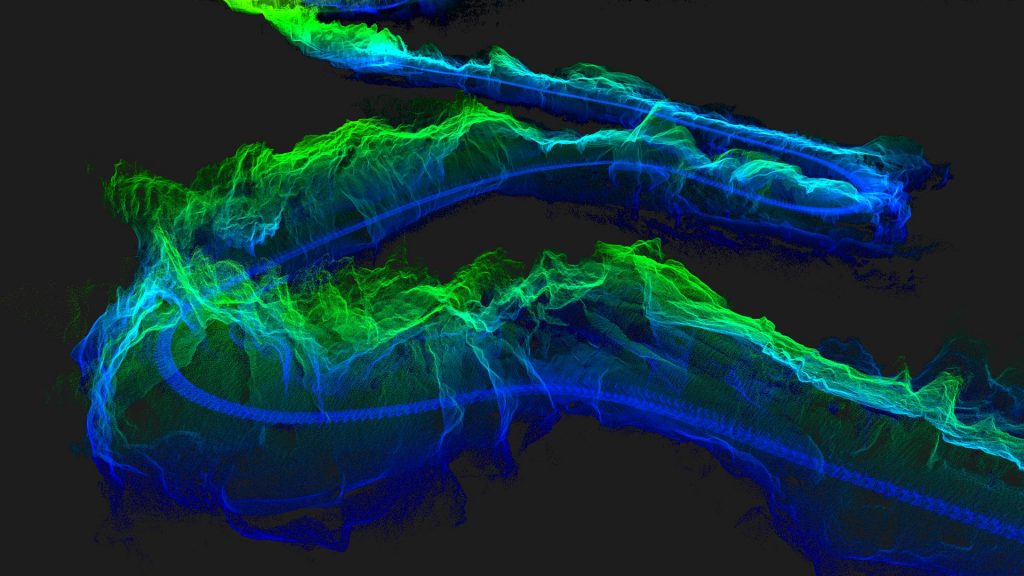
LixelStudio point cloud data ready for import into Autodesk Revit via the LCC for Revit BIM plugin
Native Revit Plugin

The plugin runs inside Revit — no separate app to maintain.

LCC for Revit installs as a native Autodesk Revit plugin. AEC teams access it from the familiar Revit ribbon, use standard Revit point cloud tools alongside it, and remain in the Revit environment throughout the BIM creation process. There is no need to export to an intermediate format, open a second application, or re-import geometry.

Installs as a standard Revit plugin via the installer
Appears in the Revit Add-ins ribbon tab
Works alongside Revit point cloud tools and workflows
Compatible with Revit 2022, 2023, 2024, 2025
07
Export & Delivery

BIM output formats that cover every delivery requirement.

LCC for Revit works within Revit’s native environment, so all Revit export capabilities apply directly to the BIM model created from scan data. Exports include all standard AEC delivery formats plus the Lixel-specific pipeline outputs.

IFC 2x3 / IFC 4 Revit (.rvt) DWG (AutoCAD) DXF PDF / DWF gbXML (Energy) .las (via LixelStudio) .e57 (via LixelStudio)
IFC — OpenBIM Project Delivery
IFC export is the primary delivery format for LCC for Revit workflows. IFC 4 is the current standard for open BIM coordination. Rev1 can confirm IFC version requirements for your specific project before purchase.
Native Revit (.rvt) — Client Handover
Deliver the native Revit file to the building owner or AOR for ongoing facility management, renovation design, and capital project planning. The Revit model remains editable and coordinated.
DWG / DXF — CAD Coordination
Export 2D and 3D CAD deliverables for structural coordination, permit submissions, and integration with civil engineering workflows in AutoCAD or BricsCAD.
Point Cloud Archive (.las / .e57)
The source LixelStudio point cloud remains available as a .las or .e57 archive alongside the BIM model. Point cloud archives are increasingly required as project record deliverables by owners and authorities having jurisdiction.
Included with LCC Premium · $2,500 / Year
Ready to validate LCC for Revit on your project type?

Rev1 can confirm scanner choice, LCC Premium configuration, and Revit version compatibility for your specific AEC workflow before quote. We also offer a free demo on a sample scan from your site.

08
The Full AEC Pipeline

LixelStudio + LCC for Revit: the complete scan-to-BIM stack.

LCC for Revit is the BIM delivery endpoint of the XGRIDS software pipeline. LixelStudio processes the raw scan data; LCC for Revit delivers it into Revit. Both are part of the LCC Premium license and work as a connected system.

Scan
Lixel Hardware
L2 Pro captures survey-grade point clouds with built-in RTK. K1 and K2 handle compact handheld capture. Every device outputs .las format compatible with the full pipeline.
Process
LixelStudio (Free)
LixelStudio processes the .las point cloud: colorization, leveling, filtering. Prepares the data for BIM import. Free with every Lixel scanner — no additional license required.
BIM
LCC for Revit (Included with Premium)
Imports the processed point cloud into Revit. Enables automatic BIM element detection and IFC export. Included with LCC Premium at $2,500/year — no additional plugin purchase needed.
3DGS
LCC CyberColor (Same Premium License)
The same LCC Premium license that includes LCC for Revit also provides the full CyberColor 3DGS pipeline. Teams get photorealistic web-shareable models AND BIM delivery from the same scan.
Rev1
US Support & Bundles
Rev1 quotes scanner, LCC Premium, and optional LixelGO mobile app as a single bundled AEC package. Same-day license activation, US phone and email support from Auburn Hills, MI.
Perpetual
Offline Option
Air-gapped environments use the LCC Perpetual license ($10,000 one-time, dongle-based). Includes LCC for Revit with no cloud dependency. Suitable for secure government and defense facilities.
09
Efficiency

Scan-to-BIM vs. traditional as-built documentation.

Time & Accuracy Advantage

What scan-to-BIM changes for AEC teams.

Traditional as-built documentation involves repeated site visits, manual measurements, hand drafting, and error-prone data transcription. The Lixel + LCC for Revit workflow captures a comprehensive 3D record of the building in a single site visit, then generates the Revit BIM model from that data. Fewer return visits, higher dimensional accuracy, and a point cloud archive as a permanent record.
Single site visit covers most floor plates
1 cm relative accuracy vs. manual tape measure errors
Point cloud archive as permanent record document
Same scan produces both BIM and 3DGS client deliverable
Lixel L2 Pro with built-in RTK capturing georeferenced point cloud data for AEC as-built BIM documentation
10
Platform

LCC for Revit — licensing and platform overview.

Premium
License Tier Required
LCC for Revit is included exclusively with LCC CyberColor Premium ($2,500/year) or LCC Perpetual ($10,000 one-time). Not available with the free Basic tier. Three concurrent device logins per Premium license.
2022+
Revit Version Support
Compatible with Autodesk Revit 2022, 2023, 2024, and 2025. Contact Rev1 to confirm compatibility with your specific Revit version before purchase. Revit license is not included — existing Revit subscription required.
Win
Windows Platform
Runs on Windows 10 and Windows 11 (64-bit) in the same system environment as Autodesk Revit. No separate hardware requirements beyond the Revit system requirements. macOS and Linux are not supported.
Same-day
License Activation
Rev1 activates LCC Premium licenses same business day of order. License includes LCC CyberColor, LCC for Revit, Map Fusion, Aerial-Ground Fusion, HD Enhancement, and AI Dynamic Object Removal.
Bundle
Hardware + Software Bundles
Rev1 quotes LCC Premium plus any Lixel scanner as a single hardware-plus-software line item. Finance options available for qualified buyers. Contact Rev1 for current bundle pricing.
$0
No Separate Plugin Fee
LCC for Revit is included in the LCC Premium price — no additional plugin fee, no separate marketplace purchase, and no per-seat Revit plugin license beyond the LCC Premium subscription.
11
How It Compares

LCC for Revit vs other Scan-to-BIM approaches.

We compare LCC for Revit against two commonly considered Scan-to-BIM workflows: Autodesk ReCap + Revit (the native Autodesk approach) and Leica Cyclone + TruView for Revit (Leica’s scanner-paired BIM workflow). Goal: where the Lixel + LCC for Revit pipeline leads and where the alternatives fit.

Feature Lixel + LCC for Revit ReCap + Revit Leica Cyclone + TruView
Scan Hardware Required Any Lixel scanner (from $12,499) Any scanner with ReCap support Leica scanner required ($35K+)
Scanner + BIM Software Bundle Yes — Rev1 single-line bundle Separate Autodesk licenses Leica hardware bundle
Direct Revit Plugin Yes — native plugin Yes — ReCap is Autodesk-native Via TruView plugin
3DGS Visual Output (Same Scan) Yes — LCC CyberColor same license No No
IFC Export Yes Yes (via Revit) Yes
US-Based AEC Support Rev1 Auburn Hills, MI Autodesk support channels Leica dealer network
Offline / Air-Gapped Option LCC Perpetual ($10K, dongle) Cloud-dependent Leica perpetual license

Rev1 takeaway: LCC for Revit differentiates on scanner price point, the bundled 3DGS output (same LCC Premium license delivers photorealistic models AND BIM), and Rev1’s same-day support. ReCap is the natural choice for teams already deep in the Autodesk ecosystem without Lixel hardware. Leica Cyclone + TruView is hardware-matched to Leica scanners and is not a practical choice for Lixel users.

AEC Workflow Review
Need help comparing LCC for Revit to your current as-built documentation method?

Rev1 has deployed Lixel + LCC for Revit on AEC projects ranging from single-floor retail to multi-story healthcare facilities. Tell us your project type and current workflow and we will give you an honest comparison.

12
Technical Specifications

LCC for Revit — full technical specifications.

Software Specifications

License Type
Included with LCC Premium
LCC Premium Price
$2,500 / year
Perpetual Option
$10,000 one-time (dongle)
Revit Versions
2022, 2023, 2024, 2025
Platform
Windows 10 / 11 (64-bit)
Concurrent Logins
3 (Premium)
BIM Import Format
.las (via LixelStudio)

Export & Integration

BIM Export
IFC 2x3, IFC 4
CAD Export
DWG, DXF (via Revit)
Native Format
.rvt (Revit native)
Energy Model
gbXML (via Revit)
Point Cloud Archive
.las, .e57 (via LixelStudio)
LCC Premium Also Includes
Map Fusion, 3DGS, AI Object Removal
Offline License
Perpetual (dongle, $10K)
13
Resources

Everything needed to evaluate and deploy LCC for Revit.

Get LCC Premium (Includes LCC for Revit)
LCC for Revit is included with LCC CyberColor Premium at $2,500/year. Rev1 provides same-day license activation. Contact Rev1 for bundle pricing with Lixel L2 Pro or K1 scanner.
LCC for Revit — Official Download
Official XGRIDS installation guide, Revit version compatibility notes, and Scan-to-BIM workflow documentation. Download the LCC for Revit plugin directly from the XGRIDS support portal.
Download LCC for Revit →
Free Demo on Your Scan Data
Rev1 offers a free demo of LCC for Revit on a sample scan from your site. Send us a representative .las file or arrange a site visit and we will process a sample BIM model so you can evaluate output quality before committing to LCC Premium.
Lixel L2 Pro + LCC Premium Bundle
Rev1 quotes the Lixel L2 Pro scanner plus LCC Premium (including LCC for Revit) as a single AEC hardware-plus-software package. The complete Scan-to-BIM stack in one line item. Contact Rev1 for current bundle pricing.
14
Why Rev1

AEC Scan-to-BIM is a workflow decision. Rev1 helps get it right.

LCC for Revit is a powerful tool — but matching the right scanner, Revit version, LCC tier, and workflow configuration to your specific AEC project is where Rev1 adds value. Rev1 Technologies is the authorized North American distributor for XGRIDS Lixel scanners, operating from Auburn Hills, Michigan.

Pre-Sales Consultation
Right scanner for the project
Rev1 reviews project scale, accuracy requirements, and site access constraints before recommending L2 Pro, K1, or K2. Prevents over-specifying hardware for projects where a K1 is sufficient.
License Configuration
LCC Premium activated same day
Rev1 activates LCC Premium licenses the same business day of order confirmation. Setup walkthrough and Revit plugin installation assistance included at no charge.
Workflow Integration
Your Revit pipeline, confirmed
Rev1 has configured LCC for Revit for architectural firms, structural engineers, MEP coordinators, and facility management teams. We confirm IFC version requirements and BIM delivery standards before activation.
Rev1 Technologies logo XGRIDS logo
15
FAQ

LCC for Revit — common questions answered.

What is LCC for Revit?
LCC for Revit is a Scan-to-BIM plugin for Autodesk Revit, included with the LCC CyberColor Premium license at $2,500/year. It enables AEC teams to import Lixel SLAM scanner point cloud data directly into Revit for automatic BIM element detection, as-built documentation, and IFC export. No manual point cloud-to-BIM conversion is required.
Is LCC for Revit free?
LCC for Revit is included at no additional cost with the LCC Premium subscription ($2,500/year). It is not available as a standalone purchase or with the free LCC Basic tier. Rev1 can quote LCC Premium bundled with a Lixel scanner (L2 Pro, K1, or K2) as a single hardware-plus-software AEC package.
What Revit versions are supported?
LCC for Revit supports Autodesk Revit 2022, 2023, 2024, and 2025. Contact Rev1 to confirm compatibility with your specific Revit version before purchase. A current Autodesk Revit subscription is required — it is not included with LCC Premium.
Which Lixel scanner should I use for Scan-to-BIM?
The Lixel L2 Pro is the recommended scanner for AEC Scan-to-BIM workflows. It provides 300 m LiDAR range, built-in RTK for absolute georeferencing, and 1 cm relative accuracy — the precision required for structural documentation. The LixelKity K1 is suitable for smaller projects and spaces where portability is the priority. Rev1 can confirm the right scanner for your specific project before quote.
What does the Scan-to-BIM workflow look like?
The workflow is: (1) scan the site with a Lixel scanner, (2) process the .las point cloud in LixelStudio (free), (3) import the processed point cloud into Revit via the LCC for Revit plugin, (4) use the plugin’s BIM element detection to place walls, floors, and structural elements, (5) export to IFC or native Revit for delivery. Rev1 provides a step-by-step walkthrough as part of every LCC Premium activation.
Does LCC for Revit require internet access?
LCC for Revit requires internet access for license validation as part of the LCC Premium subscription. For fully offline environments, the LCC Perpetual license ($10,000 one-time, dongle-based) includes the Revit plugin with no cloud dependency — suitable for secure government, defense, and healthcare facilities.
How does LCC for Revit compare to Autodesk ReCap?
Autodesk ReCap is a point cloud registration and management tool within the Autodesk ecosystem. LCC for Revit is a Scan-to-BIM plugin optimized for the Lixel scanner pipeline. ReCap supports a wider range of scanner hardware but requires a separate Autodesk license. LCC for Revit is purpose-built for Lixel data and also delivers 3DGS photorealistic output from the same LCC Premium license — something ReCap does not provide. Teams using Lixel hardware benefit from the seamless LCC for Revit integration.
Can Rev1 bundle LCC Premium with a scanner?
Yes. Rev1 quotes the Lixel L2 Pro or K1 scanner plus LCC Premium (including LCC for Revit, Map Fusion, Aerial-Ground Fusion, HD Enhancement, AI Dynamic Object Removal) as a single line item. Finance options are available for qualified buyers. Contact Rev1 at (248) 707-2950 or (248) 707-2950 for current bundle pricing.
Ready to Start?
Rev1 confirms scanner, LCC tier, and Revit version before quote — no upsell.

Contact Rev1 with your project type, building size, and current Revit version. We will recommend the right Lixel scanner and confirm LCC Premium fits your workflow before you commit.

Scan. Process. Build. Done.

LCC for Revit brings Lixel scan data into Autodesk Revit for production AEC Scan-to-BIM delivery.

Included with LCC Premium ($2,500/year). Rev1 bundles with Lixel L2 Pro or K1 scanner, activates same day, and walks your team through the first Revit BIM import. Auburn Hills, MI · (248) 707-2950 · (248) 707-2950.