CreatBotD600 Pro2 HS E DriveGenuine CreatBot Replacement Part
D600 Pro2 HS E Drive (Extruder Stepper Driver) for D600 Pro2 HS and D1000 HS
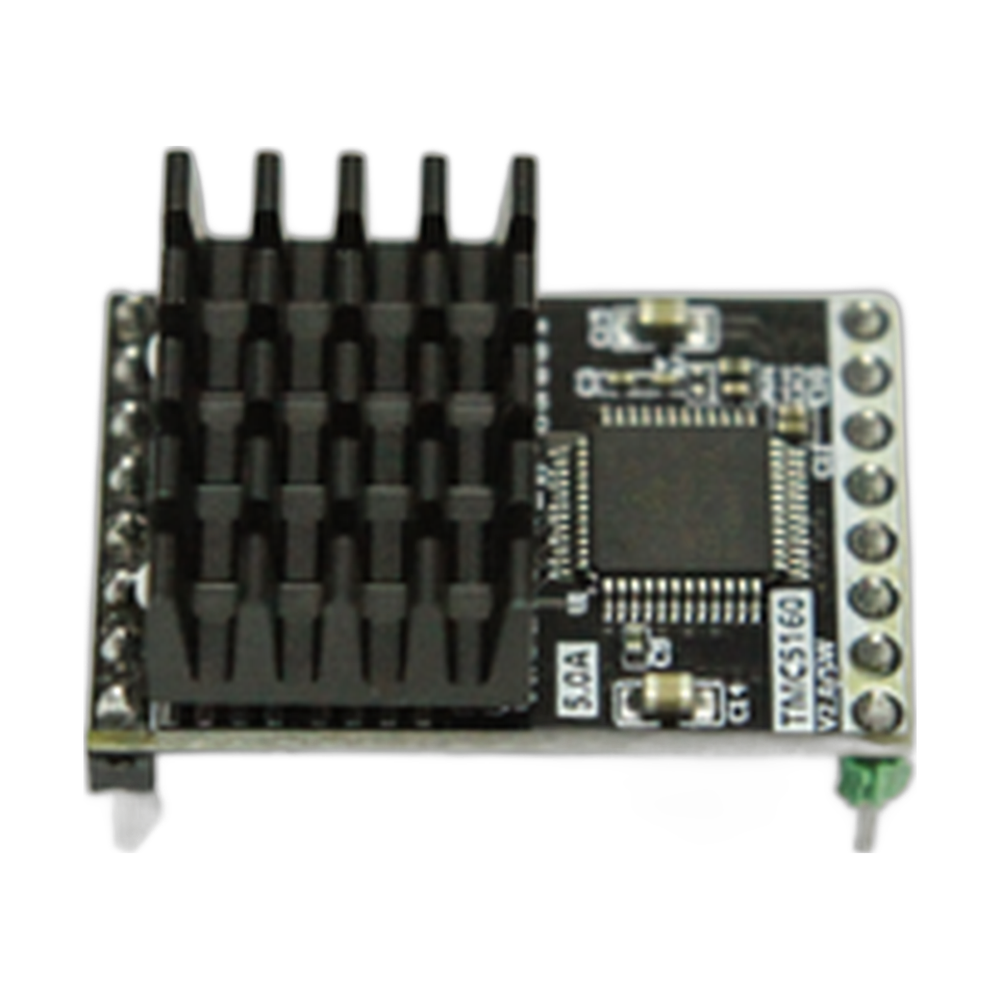
The CreatBot D600 Pro2 HS E drive (part 115002) is the OEM extruder motor driver for the CreatBot D600 Pro2 HS, and CreatBot also lists it for the D1000 HS. The E axis is the extruder: this driver turns step commands from the main control board into the current that runs the extruder motor and pushes filament into the hotend. Extrusion has to stay in step with every X, Y and Z move, so a failing E drive shows up quickly as thin walls, gaps and weak parts. Full specifications →
Genuine CreatBot part, shipped from Rev1 — your authorized CreatBot dealer and service partner. Not sure it fits? Call (248) 707-2950.
Genuine CreatBot D600 Pro2 HS E Drive, from an authorized CreatBot dealer.
An authentic CreatBot replacement part, not a third-party copy. Rev1 Technologies is an authorized CreatBot dealer and certified CreatBot service provider in Auburn Hills, Michigan.


Signs the E drive may need replacing
The extruder motor stops, stutters or clicks while the motion axes keep moving.
Under-extrusion that continues after the nozzle, hotend and filament path have been cleared.
The extruder motor runs normally from a known good driver channel.
An extruder related error that comes back after a restart.
A worn drive gear, wet or tangled filament or a partial clog can look like a driver fault. Check those first, or ask Rev1 support to help you narrow it down.
Compatible CreatBot 3D printers
The D1000 HS also has its own listed E drive, part 115006. If you are unsure which module is fitted in your D1000 HS, send Rev1 a photo before ordering.
Dual extrusion printers
On a printer with two extruders, each extruder motor has its own driver. If only one extruder misbehaves, swap its motor cable to the other extruder's driver with the power off. If the fault moves with the driver, the driver is the problem. If it stays with the motor, look at the motor or cable instead.
Installation tips
Power the printer off and unplug it. Photograph the driver orientation before removal, fit the new module the same way round, and reconnect the extruder motor cable. Heat the hotend and run a manual extrusion test before you start a print.
CreatBot D600 Pro2 HS E Drive Specifications
WHY REV1 TECH
Sold and Supported by Rev1 Technologies
Rev1 Technologies is an authorized CreatBot dealer and certified CreatBot service provider in the US. Not sure which part your printer needs? Send us your printer model and serial number and our team will confirm the right part before it ships. We also handle installation, repair and preventive maintenance on CreatBot printers.
CreatBot D600 Pro2 HS E Drive — Questions
Does it fit the D1000 HS?
Yes. CreatBot lists part 115002 for both the D600 Pro2 HS and the D1000 HS.
Is it the same as the D600 Pro2 HS Z drive?
No. The Z drive is part 115001. This is the extruder driver.
Is this a genuine CreatBot part?
Yes, CreatBot part 115002, supplied by Rev1 Technologies, an authorized CreatBot dealer.
Is this a genuine CreatBot part?
Yes. Rev1 Technologies is an authorized CreatBot dealer and certified CreatBot service provider in the US, and every part we sell is a genuine CreatBot part.
How do I confirm it fits my printer?
Send us your printer model and serial number, or call (248) 707-2950, and our team will confirm the right part before it ships.
Can Rev1 install it for me?
Yes. We handle installation, repair and preventive maintenance on CreatBot printers. Ask us about on-site or depot service.