XGRIDS Software · Point Cloud Processing · Free

XGRIDS LixelStudio

Professional Point Cloud Processing. Included Free.

LixelStudio is the point cloud processing software included with every Lixel SLAM scanner — and available free as a standalone download. Import raw scan data, apply 48 MP panoramic colorization, precision-level, filter edges, generate mesh, and export to .las, .e57, CAD, and BIM formats. Version 4.0. System requirements →

$0
License Cost
4.0
Current Version
6+
Export Formats
Win 10/11
Platform
Processing
Colorization Precision Leveling Edge Filtering Mesh Generation
Exports
.las .e57 .ply / .obj DXF IFC
Works With
K1 K2 L2 Pro PortalCam

Free with every Lixel scanner. No subscription. No trial period. Rev1 provides same-day download access and setup support.
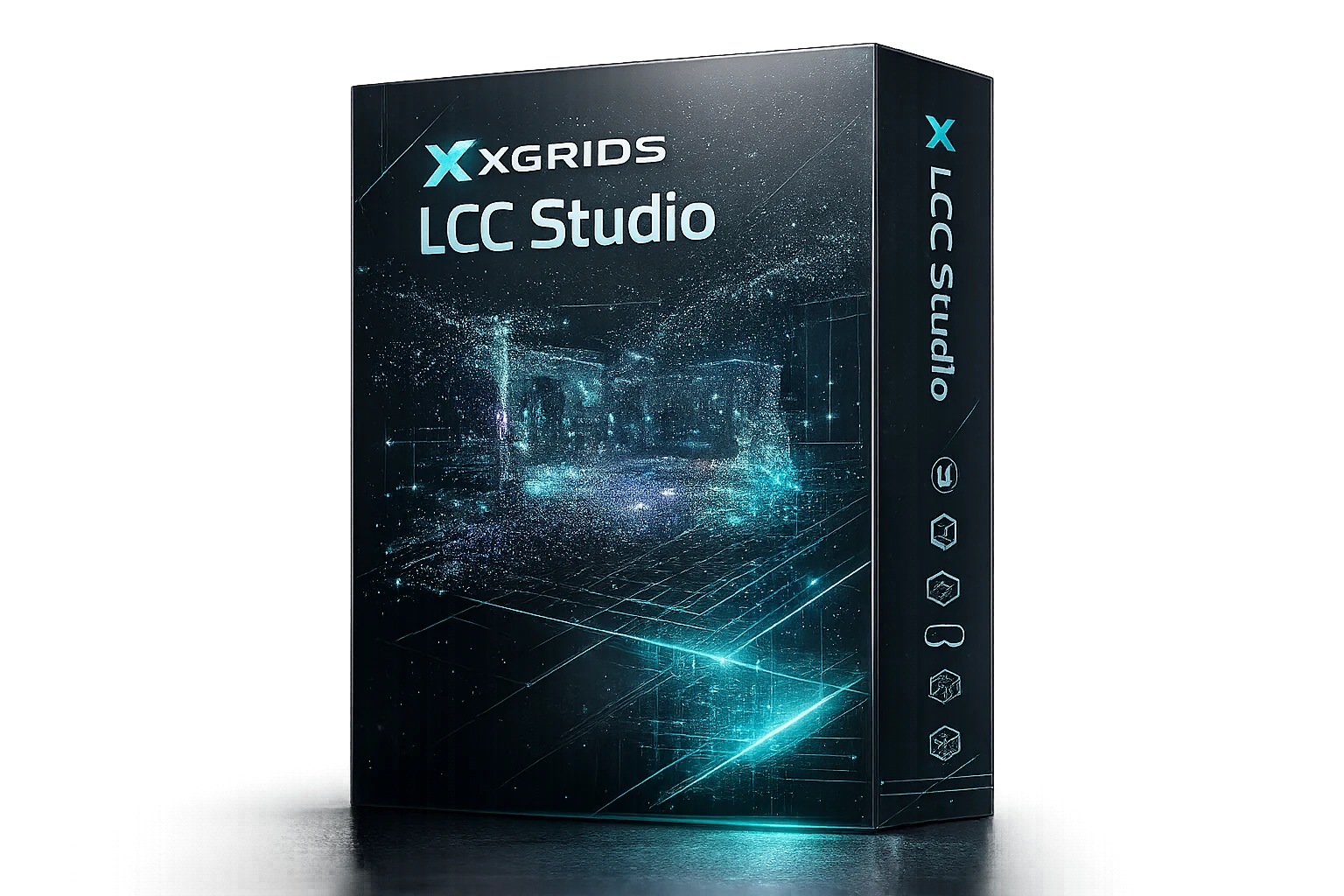
Version 4.0 LixelStudio v4.0 interface — point cloud processing, colorization, and BIM export from Lixel scanner data
North America · Authorized Distributor

Your Authorized Source for XGRIDS Software in North America.

Rev1 Technologies is the authorized North American distributor for XGRIDS Lixel scanners and software. Pre-sales consultation, setup assistance, and post-purchase support delivered from Auburn Hills, Michigan.
Free Download Access Same-Day Setup Support US Phone & Email
Sold & Supported By
Rev1 Technologies logo
Software Publisher
XGRIDS logo
01
Overview

From raw scan to finished deliverable — without the subscription.

LixelStudio is the point cloud processing pipeline for all Lixel SLAM scanners. After a scan session, raw .las data flows into LixelStudio for colorization using the scanner’s onboard panoramic cameras, precision leveling, noise filtering, mesh generation, and structured export to survey, CAD, and BIM formats. The full pipeline runs on a standard Windows workstation with no cloud dependency — and costs nothing.

The LiDAR Pipeline

Studio handles the engineering side. LCC handles the visual side.

When a Lixel L2 Pro or K1 captures a site, the same scan session produces two outputs: LiDAR point cloud data and photographic imagery. LixelStudio processes the point cloud side — measurements, CAD-compatible exports, BIM deliverables. Lixel CyberColor (LCC) processes the visual side — photorealistic 3D Gaussian Splatting for web viewing, virtual tours, and Unreal/Unity integration. Both run from one scan. Both ship free with every Lixel scanner.

Survey-grade point cloud processing for engineering teams
CAD and BIM export for AEC documentation workflows
No cloud upload required — fully local processing
Free with every K1, K2, L2 Pro, and PortalCam purchase
LixelStudio interface: K1 point cloud data shown with colorized point cloud, measurement tools, and BIM export options
02
Core Features

Six processing tools. One scan session. Zero cost.

Color
48MP Panoramic Colorization
Apply 48 MP × 2 panoramic color from the K1 or K2’s onboard cameras to every point in the cloud. Produces survey-grade colored models without a separate photography setup.
Level
Precision Auto-Leveling
Automatic orientation correction aligns the point cloud to true horizontal. Critical for floor-plan extraction, as-built measurements, and BIM model accuracy.
Filter
Edge & Noise Filtering
Intelligent edge sharpening and noise filtering clean scan artifacts at boundaries and surfaces — required for CAD-ready output and dimensionally accurate mesh models.
Mesh
Mesh Generation (OBJ / PLY)
Convert point clouds to polygon mesh output in OBJ or PLY format. Suitable for 3D printing, visualization, and downstream 3D modeling in CAD applications.
Measure
In-App Measurement
Point-to-point distance, area, and volume measurements directly in the LixelStudio viewer. Accurate enough for construction takeoff, facilities management, and space planning.
Export
Multi-Format Export
Export to .las, .e57, .ply, .obj, and DXF directly from LixelStudio. IFC (BIM) export is available via the LCC for Revit plugin included with LCC Premium.
03
Export Formats

Outputs that feed every downstream pipeline.

LixelStudio exports to the formats your existing workflow already accepts — no format conversion utility required. The same scan produces point cloud, mesh, and CAD outputs simultaneously.

.las (LiDAR Point Cloud) .e57 (Survey Exchange) .ply (Polygon Mesh) .obj (3D Object) DXF (CAD / AutoCAD) IFC (BIM — via LCC for Revit) Web Viewer (via LCC)
.las / .e57 — Survey & GIS
.las is the industry standard for LiDAR point cloud exchange — compatible with Autodesk Civil 3D, Bentley, ArcGIS Pro, QGIS, and all major survey processing software. .e57 is the preferred interchange format for structured scanner data in metrology and BIM workflows.
.ply / .obj — Mesh & 3D Modeling
OBJ and PLY mesh outputs feed 3D modeling software (Rhino, Blender, 3ds Max), 3D printing workflows, and game-engine asset pipelines. LixelStudio generates the mesh from the point cloud using the onboard color data for textured output.
DXF — CAD & AutoCAD
DXF export produces AutoCAD-compatible 2D and 3D CAD files from the processed point cloud. Suitable for floor plan extraction, as-built drawing generation, and integration with civil / architectural CAD workflows.
IFC — BIM (via LCC for Revit Plugin)
Full Scan-to-BIM IFC export requires the LCC for Revit plugin, included with LCC Premium ($2,500/year). The plugin enables direct import of Lixel scan data into Autodesk Revit with automatic BIM element detection and IFC export for AEC documentation.
Free · Same-Day Download Access
Ready to start processing your Lixel scan data?

Tell Rev1 your scanner and workflow — we will get you LixelStudio and confirm which export format matches your deliverable target. No upsell, no waiting.

04
Scanner Compatibility

Works with every Lixel scanner in the lineup.

LixelStudio processes .las point cloud output from all Lixel SLAM hardware. Each scanner produces the same .las format — the same LixelStudio workflow applies regardless of which device captured the data.

LixelKity K1
Compact handheld SLAM scanner. 48MP × 2 panoramic color, 200,000 pts/s, ±1.2 cm accuracy, IP54. In stock · $12,499. LixelStudio colorization uses both K1 cameras for full-color point cloud output.
Lixel K2
Handheld SLAM LiDAR with built-in RTK, 3-camera array, 1 cm relative accuracy. Pre-order · Ships June 2026. Three cameras deliver higher-resolution colorization in LixelStudio.
Lixel L2 Pro
Survey-grade 300 m range SLAM scanner. Outputs both LiDAR point cloud (LixelStudio) and 3DGS data (LCC) from the same scan. Primary choice for AEC Scan-to-BIM workflows.
XGRIDS PortalCam
Body-worn 360° scanning for structured environments. LixelStudio processes PortalCam .las output with the same colorization and export pipeline as handheld devices.
Third-Party .las Files
LixelStudio can import .las files from non-Lixel scanners for processing and export. Colorization from Lixel cameras is not available for third-party data, but leveling, filtering, and mesh generation apply.
Multi-Scanner Projects
Large sites can be scanned in multiple passes with different Lixel devices. LixelStudio handles multi-session merge for unified point cloud processing and export.
05
The XGRIDS Ecosystem

Two pipelines. One scan. Every deliverable covered.

LixelStudio and Lixel CyberColor (LCC) cover different deliverable types from the same scan session. Teams using the Lixel L2 Pro can produce both simultaneously — a survey-grade point cloud processed in LixelStudio and a photorealistic 3DGS model processed in LCC — in a single walk-through capture.

LixelStudio — Engineering & Survey Pipeline
Processes the LiDAR point cloud side of the scan. Colorization, leveling, edge filtering, mesh generation, measurement, and export to .las, .e57, DXF, and IFC. The correct choice for: as-built documentation, survey deliverables, facility management, CAD-based workflows, and BIM integration.
Point Cloud .las / .e57 DXF / IFC Measurement Free
Lixel CyberColor (LCC) — Visual & 3DGS Pipeline
Processes the photorealistic 3D Gaussian Splatting side of the scan. AI-driven reconstruction, 90% file size compression, web-shareable viewer, and integration with Unity, Unreal, and Revit (Premium tier). The correct choice for: property tours, virtual production, digital twins, client presentations, and XR experiences.
3DGS Output Web Viewer Unity / Unreal Revit (Premium) Basic: Free
06
Workflow

Scan to deliverable in four steps.

01
Capture
Walk through the space with a Lixel scanner. The device captures LiDAR point cloud data and panoramic color images simultaneously in real time. LixelGO mobile app provides live field monitoring.
02
Transfer
Transfer the .las scan file from the scanner via USB or Wi-Fi to the Windows workstation. The raw .las file includes both spatial data and image references for colorization.
03
Process
Open the .las file in LixelStudio. Apply colorization, auto-leveling, and edge filtering. Generate mesh if required. Perform in-app measurements. Review and annotate the model.
04
Export
Export to the format your downstream workflow requires: .las or .e57 for survey/GIS, DXF for CAD, .ply or .obj for mesh, or IFC for BIM (via LCC for Revit plugin). Deliverable ready.
07
Applications

Where LixelStudio delivers real project value.

🏗
AEC & Construction
As-built documentation, progress tracking, clash detection, and BIM integration. LixelStudio + LCC for Revit covers the full scan-to-BIM workflow for AEC engineering teams. Combine with L2 Pro for survey-grade accuracy.
📐
Survey & Mapping
Topographic surveys, boundary mapping, infrastructure documentation. Export to .las and .e57 for direct integration with Autodesk Civil 3D, Bentley, and QGIS survey pipelines.
🏛
Heritage & Cultural Preservation
3D documentation of historical structures, artifacts, and sites. High-resolution colored point clouds preserve dimensional and visual detail for archival, analysis, and public education.
🏢
Facilities Management
Accurate floor plans, space utilization analysis, MEP routing, and maintenance documentation. LixelStudio measurement tools deliver room dimensions, ceiling heights, and area calculations directly from scan data.
🔬
Industrial Inspection
Dimensional analysis, deformation monitoring, and quality control for manufactured parts and industrial structures. Export to DXF for comparison with design-intent CAD models.
🎓
Research & Education
Free license makes LixelStudio accessible for academic research, university programs, and teaching applications. Supports standard research output formats (.las, .e57, .ply) compatible with open-source analysis tools.
Free · No Account Required to Ask
LixelStudio is free. Rev1 gets you set up today.

Tell us your scanner and project type. We confirm the right export format, point you to the download, and answer setup questions at no charge — same business day.

08
Platform

Local processing. No cloud dependency. Windows native.

Local
No Cloud Upload Required
LixelStudio runs entirely on your local Windows workstation. No internet connection required for processing, no data upload to XGRIDS servers, no subscription to maintain. Your scan data stays on your hardware.
v4.0
Current Release
Version 4.0 includes updated colorization algorithms, improved auto-leveling, faster mesh generation, and enhanced DXF export compatibility. Existing users receive updates at no cost.
Win
Windows 10 / 11 Native
LixelStudio is a native Windows desktop application. No VM, no compatibility layer. Installation is straightforward via installer package distributed by Rev1 at time of scanner purchase or on request.
API
XGRIDS Ecosystem Integration
LixelStudio is part of the XGRIDS software ecosystem alongside LixelGO (mobile field app) and Lixel CyberColor (3DGS). Data flows between all three tools without format conversion from any Lixel scanner.
GPU
GPU-Accelerated Processing
NVIDIA GPU with CUDA support accelerates colorization and mesh generation significantly on large scan datasets. CPU-only processing is supported but slower for point clouds exceeding 1 billion points.
Free
Permanent Free License
LixelStudio does not require activation, license keys, or internet validation. The free license is permanent. Future version updates are delivered by XGRIDS at no charge through the official distribution channel.
09
By the Numbers

The free pipeline that delivers professional results.
$0
License Cost
6+
Export Formats
4
Compatible Scanners
1-day
Rev1 Setup Support
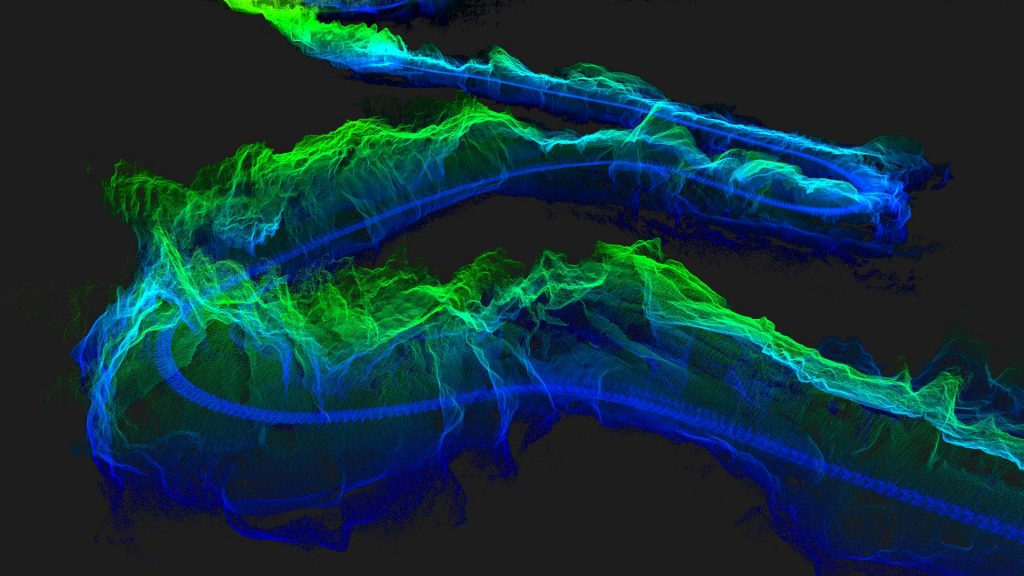
Lixel L2 Pro survey-grade colored point cloud processed in LixelStudio — AEC as-built documentation
L2 Pro + LixelStudio

Survey-grade colored point clouds for AEC teams.

The Lixel L2 Pro paired with LixelStudio delivers the complete survey workflow: 300 m LiDAR range, built-in RTK for absolute positioning, and 1 cm relative accuracy on the capture side; colorization, leveling, and DXF/IFC export on the processing side. Rev1 quotes the L2 Pro and LixelStudio as a single bundled solution for AEC teams targeting Scan-to-BIM deliverables.

10
Format Compatibility

Import and export formats that cover the full survey pipeline.

Input: .las from any Lixel device
All Lixel scanners produce .las v1.4 point cloud files as the primary output. LixelStudio reads these natively without conversion. Third-party .las files are also supported for processing (colorization requires Lixel camera data).
Output: .las — Survey and GIS pipelines
Re-export processed .las files with colorization, classification, and corrections applied. Compatible with Autodesk Civil 3D, Leica Cyclone, CloudCompare, ArcGIS Pro, Bentley Map, and all major point cloud tools.
Output: .e57 — Scanner exchange format
.e57 is the ASTM-standard interchange format for 3D imaging data. LixelStudio exports structured .e57 for integration with FARO Scene, Leica Register360, Trimble RealWorks, and other professional scan processing platforms.
Output: DXF — CAD and AutoCAD
AutoCAD DXF exports from LixelStudio include 2D floor plan projections, section cuts, and 3D point cloud representations compatible with AutoCAD, BricsCAD, and any DXF-capable CAD platform.
Output: .ply / .obj — Mesh export
Polygon mesh exports in PLY (binary or ASCII) and OBJ with MTL material files. Mesh geometry carries the panoramic color from the scanner cameras. Compatible with Blender, Rhino, Maya, 3ds Max, and 3D printing workflows.
Output: IFC — Scan-to-BIM (via LCC for Revit)
Full IFC export for Autodesk Revit and OpenBIM workflows requires the LCC for Revit plugin included with LCC Premium. The plugin processes the LixelStudio point cloud directly inside Revit for automatic BIM element detection.
11
How It Compares

LixelStudio vs other point cloud processing tools.

We compare LixelStudio against the three most commonly considered alternatives in the Lixel customer base: CloudCompare (free open-source), FARO Scene (FARO hardware-bundled), and Leica Cyclone Register 360 (subscription-based). Goal: where LixelStudio leads for Lixel scanner users, and where another tool genuinely fits better.

Feature LixelStudio v4.0 CloudCompare FARO Scene Leica Cyclone Register 360
Cost Free (permanent) Free (open-source) Bundled with FARO ~$3,000+/yr
Lixel Scanner Integration Native — all Lixel devices Manual .las import Not designed for Lixel Not designed for Lixel
Panoramic Colorization Auto — from Lixel cameras Manual RGB attribute FARO cameras only Leica cameras only
Precision Auto-Leveling Automatic Manual Automatic Automatic
DXF / CAD Export Yes Limited Yes Yes
BIM / IFC Export Via LCC for Revit (Premium) No Via FARO As-Built Yes (add-on)
OS Platform Windows Win / Mac / Linux Windows Windows

Rev1 takeaway: LixelStudio is the correct choice for any team using Lixel hardware. It delivers automatic colorization from the scanner’s cameras, immediate auto-leveling, and export to DXF and mesh formats — at zero cost. CloudCompare is the right supplementary tool for cross-platform teams or specialized analysis requiring Linux or advanced statistical tools. FARO Scene and Leica Cyclone are hardware-matched to their own scanner ecosystems and are not practical choices for Lixel users.

Setup in Minutes
Need help matching LixelStudio to your existing CAD or BIM pipeline?

Rev1 has deployed LixelStudio alongside AutoCAD, Revit, Civil 3D, and QGIS workflows. Tell us your pipeline and we will confirm compatibility and the right export settings before you start.

12
System Requirements

LixelStudio v4.0 — full specifications.

Minimum Requirements

Operating System
Windows 10 (64-bit)
CPU
Intel Core i7 / AMD Ryzen 7 (6+ cores)
RAM
16 GB
GPU
NVIDIA GTX 1060 (4 GB VRAM)
Storage
50 GB free (SSD preferred)
Display
1920 x 1080 minimum

Recommended (Large Projects)

Operating System
Windows 11 (64-bit)
CPU
Intel Core i9 / AMD Ryzen 9 (12+ cores)
RAM
32 GB or more
GPU
NVIDIA RTX 3080 / 4070 (8+ GB VRAM)
Storage
500 GB+ NVMe SSD
CUDA
CUDA 11.0+ for GPU-accelerated mesh

macOS and Linux are not currently supported. For enterprise multi-node deployments or server-based processing, contact Rev1 for XGRIDS enterprise licensing options.

13
Downloads & Resources

Everything you need to get started with LixelStudio.

LixelStudio v4.0 — Free Download
Free point cloud processing software for all Lixel SLAM scanners. Includes colorization, leveling, edge filtering, mesh generation, and multi-format export. Contact Rev1 to receive the download link with same-day delivery.
LixelStudio Quick Start Guide
Official XGRIDS setup and configuration guide for LixelStudio v4.0. Covers installation, scanner connection, first scan import, colorization workflow, and export to .las and DXF. Available via XGRIDS documentation portal.
Download LixelStudio →
LCC for Revit Plugin — Scan-to-BIM
The LCC for Revit plugin extends LixelStudio point cloud exports into full Autodesk Revit Scan-to-BIM workflows. Included with LCC Premium ($2,500/year). Rev1 can bundle LCC Premium with any Lixel scanner purchase.
Learn About LCC for Revit →
Rev1 Application Engineering Support
Rev1 provides free setup support for LixelStudio with every Lixel scanner purchase. This includes installation assistance, first-scan walkthrough, export format recommendations, and CAD/BIM pipeline integration guidance.
14
Why Rev1

The only XGRIDS partner that bundles the software with the field support.

LixelStudio is free — but getting it running correctly in your workflow, paired with the right scanner, and exporting to the right format for your deliverable is where Rev1 adds real value. Rev1 Technologies is the authorized North American distributor for XGRIDS Lixel scanners, operating from Auburn Hills, Michigan.

Scanner Selection
Right hardware for the deliverable
Rev1 matches the scanner to the workflow before the quote. AEC teams get the L2 Pro for survey-grade accuracy. Compact handheld use cases get the K1. Rev1 never over-specs the hardware.
Software Setup
Same-day LixelStudio installation
Rev1 delivers the LixelStudio download link and provides setup assistance the same business day. First-scan-to-DXF walkthrough included with every scanner purchase at no extra charge.
Pipeline Integration
We know your downstream tools
Rev1 has configured LixelStudio for AutoCAD, Revit, Civil 3D, QGIS, ArcGIS Pro, and custom AEC pipelines. Tell us your workflow and we confirm the export settings before you start processing.
Rev1 Technologies logo XGRIDS logo
15
FAQ

LixelStudio — common questions answered.

Is LixelStudio really free?
Yes. LixelStudio is permanently free — included with every Lixel SLAM scanner purchase and available as a standalone download. There is no subscription, no trial period, and no feature lock. The full v4.0 processing pipeline (colorization, leveling, edge filtering, mesh generation, and .las/.e57 export) is available at zero cost.
What scanners is LixelStudio compatible with?
LixelStudio works with all Lixel SLAM scanners: LixelKity K1, Lixel K2, Lixel L2 Pro, and XGRIDS PortalCam. It imports .las point cloud files from any Lixel device. Third-party .las files are also importable, though panoramic colorization requires Lixel camera data.
What can LixelStudio export?
LixelStudio exports .las (LiDAR point cloud), .e57 (survey exchange), .ply and .obj (mesh), and DXF (CAD). IFC (BIM) export via Autodesk Revit requires the LCC for Revit plugin included with LCC Premium ($2,500/year). All formats export directly from the LixelStudio interface.
What is the difference between LixelStudio and Lixel CyberColor LCC?
LixelStudio and LCC cover different pipelines from the same scan data. LixelStudio is the LiDAR and engineering-metrology pipeline: it processes point clouds for measurement, CAD export, and BIM documentation. LCC is the 3D Gaussian Splatting pipeline: it generates photorealistic, navigable spatial models for web sharing, VR, Unity, and Unreal. Both can process data from a single Lixel L2 Pro scan session simultaneously.
What are the system requirements?
LixelStudio v4.0 runs on Windows 10 and Windows 11 (64-bit). Recommended: 16 GB RAM, NVIDIA GPU with 4 GB VRAM, 50 GB free disk space (SSD). For large scan projects (500 GB+ data), 32 GB RAM and an NVMe SSD are strongly recommended. macOS and Linux are not currently supported.
How do I get LixelStudio?
LixelStudio is available as a free download from XGRIDS. If you purchased a Lixel scanner from Rev1 Technologies, we provide the download link and setup support directly. Contact Rev1 at (248) 707-2950 or (248) 707-2950 and we will get you set up same business day.
How does LixelStudio compare to CloudCompare?
Both are free tools for point cloud processing, but they serve different workflows. CloudCompare is a general-purpose open-source tool with broad platform support (Windows, Mac, Linux) and a research-oriented interface. LixelStudio is purpose-built for Lixel SLAM scanner output — it handles automatic colorization from the 48MP panoramic cameras, auto-leveling, and direct DXF and BIM export. For teams using Lixel hardware, LixelStudio delivers a faster scan-to-deliverable workflow. CloudCompare may be preferred for cross-platform use or specialized statistical analysis.
Does LixelStudio support BIM export for Autodesk Revit?
Full Scan-to-BIM import into Autodesk Revit requires the LCC for Revit plugin included with LCC Premium ($2,500/year). LixelStudio itself exports to DXF and IFC formats that can be imported into Revit manually, but the direct Scan-to-BIM workflow with automatic element detection requires the LCC for Revit plugin. Rev1 can quote LCC Premium with any Lixel scanner as a single hardware-plus-software bundle.
Ready to Process Your First Scan?
Rev1 gets you LixelStudio and walking through your first project — same day.

Contact Rev1 for the download link, setup walkthrough, and export format recommendation for your workflow. No purchase required to ask.

Free Software. Expert Support.

LixelStudio is free. Rev1 makes sure it works in your pipeline from day one.

Download LixelStudio free and get same-day setup support from Rev1 — the authorized North American XGRIDS distributor. Auburn Hills, Michigan. (248) 707-2950 · (248) 707-2950.