HeyGears UltraCraft Reflex RS Turbo 566:1 Amber Screen — Professional High-Speed Resin Printing
8K Amber Screen MSLA resin 3D printer with a C5-grade Z-axis and Dynamic Motion Algorithm 3.0.
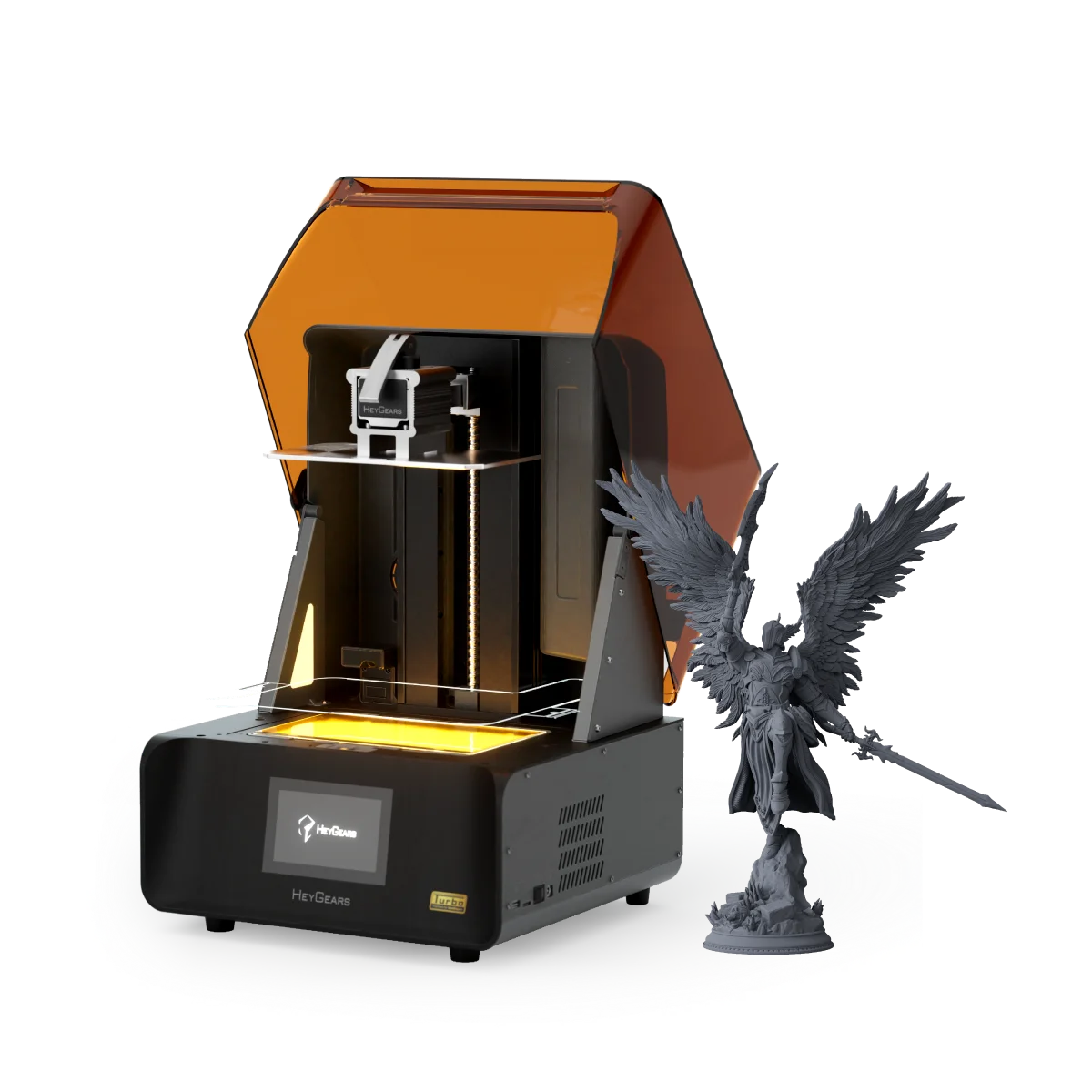
A 10.3″ 8K Amber Screen at 566:1 contrast, a C5-grade ballscrew Z-axis holding ±2 μm under load, and Dynamic Motion Algorithm 3.0 for 33% faster printing without trading away accuracy — with automatic leveling, resin refill, and residue detection running every job. Full specifications →
Authorized HeyGears reseller in the USA — Rev1 confirms the right resin set and configuration for your application before you buy. Questions? Call (248) 707-2950.
Factory-Built Precision. US-Supported by Rev1.
Rev1 Technologies is an authorized HeyGears reseller and service partner in the United States. Every Reflex RS Turbo purchased through Rev1 includes delivery, Blueprint Studio setup, operator training, and ongoing regional support from Auburn Hills, Michigan.


A Professional Resin Printer That Earns Its Place in Production
The RS Turbo pairs an 8K Amber Screen with industrial motion hardware and full job automation — the combination that turns a desktop MSLA machine into a dependable batch producer for miniatures, dental models, jewelry patterns, and engineering prototypes.
566:1 Amber Screen — Precision Light Control at Every Layer
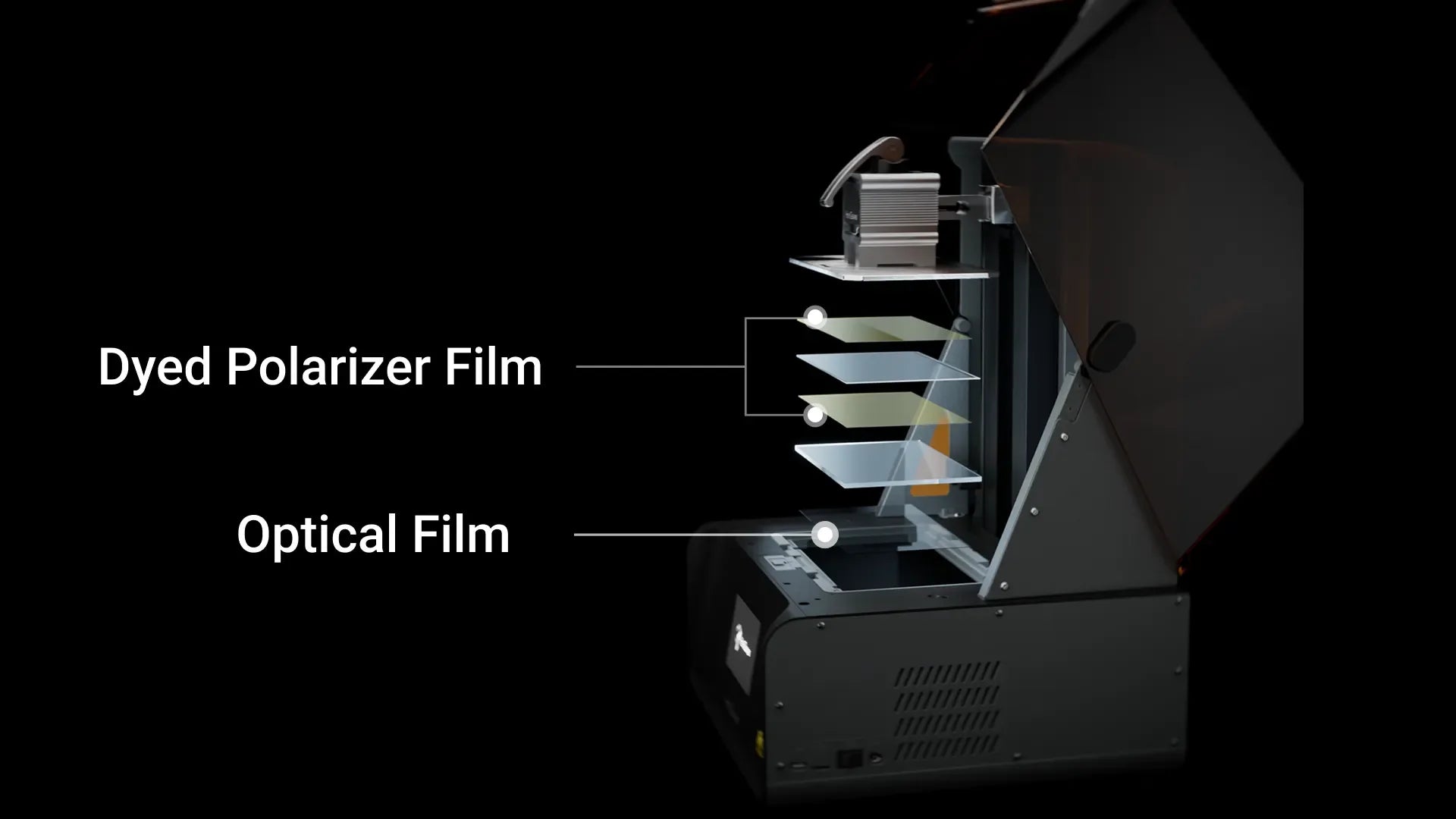
A custom composite optical stack — a dyed polarizer film plus a high-precision optical film — delivers nearly 60% higher contrast than previous-generation screens. Sharper edges, cleaner surfaces, and far less stray-light bleed.
Optical Stack
A Composite Optical Stack Built for Contrast
The Amber Screen layers a dyed polarizer film over a high-precision optical film. Together they define the boundary between cured and uncured resin more precisely at every layer edge, which is what makes thin walls, pin features, and surface texture resolve cleanly instead of blurring.
Detail Sharpness
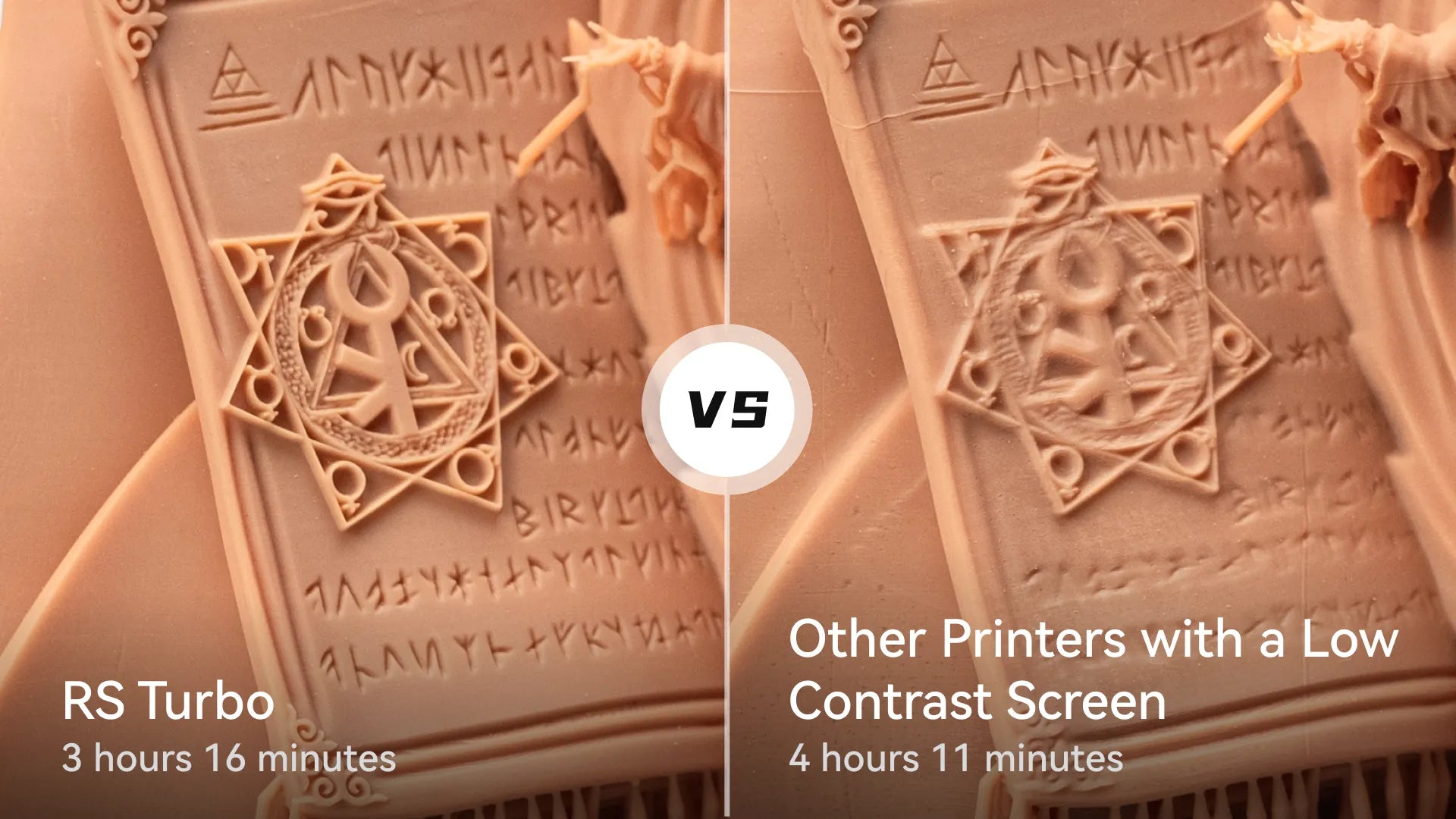
Sharper Edges. Finer Features. Fewer Support Artifacts.
Higher contrast tightens the cure boundary at every layer, so undercuts, engraving, and texture read more clearly — visible to the naked eye and measurable under calipers. The difference shows most on the geometry that matters: faces, facets, and fine lettering.
Surface Quality
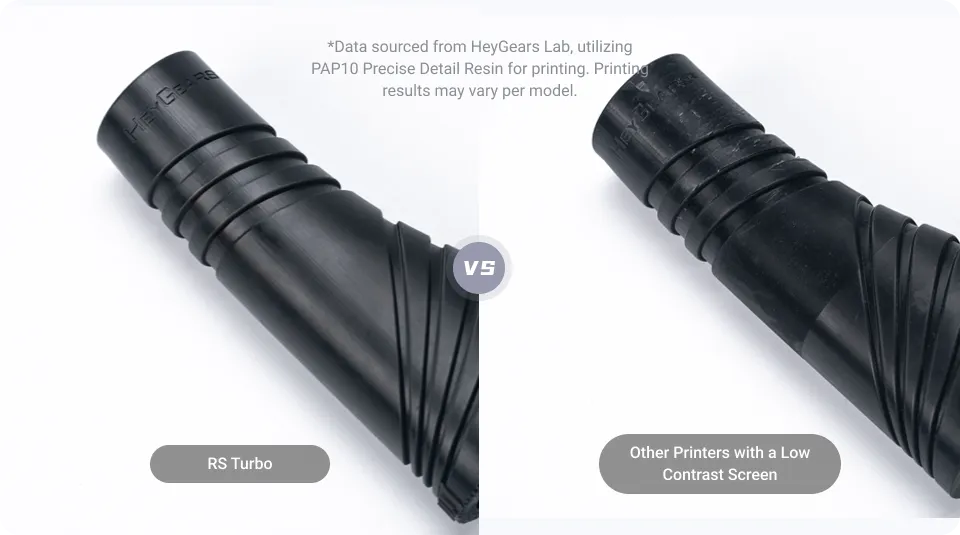
Stray Light Eliminated — Smooth Surfaces Off the Plate
The optical film transmits light at optimal angles, reducing stray UV that reaches resin outside the intended geometry. The micro-residue that creates roughness and pitting on standard LCD screens is largely eliminated, so parts come off ready for evaluation rather than rework.
NFC Screen Calibration
60-Zone Calibration, Auto-Applied on Every Screen Swap
Factory calibration maps 60 screen zones and stores the profile on the screen's NFC chip. When a replacement screen is installed, the RS Turbo reads the chip and applies the calibration automatically — keeping intensity variation within ±5% with no manual re-calibration, so accuracy holds from the first layer on a new screen.
C5 Grade Z-Axis — Industrial Repeatability
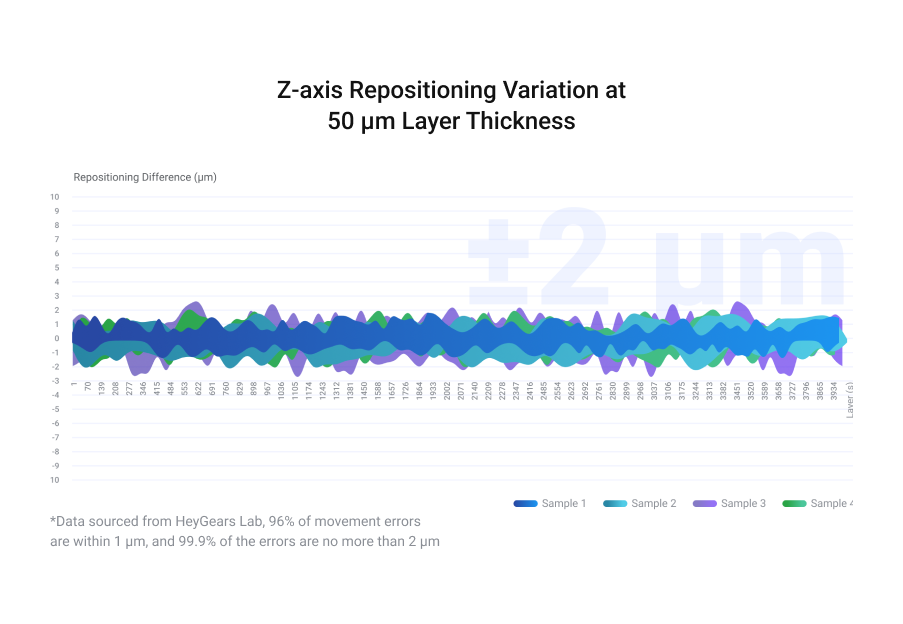
An industrial-spec ballscrew Z-axis delivers ±2 μm repeat positioning under a 50 kg load, verified over 10,000 cycles. Adaptive process packages then tune motion per resin — eliminating the Z-banding and support warping that plague mid-range printers.
C5 Grade Z-Axis
±2 μm Repeat. 50 kg Load. 10,000 Cycles Tested.
The C5-grade ballscrew module sustains sub-2-micron repeatability under rated load across its tested life, so layer-to-layer dimensional consistency holds over full print height on long production runs — not only on the first few centimeters.
Adaptive Process Packages
180 Z-Compensation Combinations, Auto-Selected Per Resin
Standard MSLA printers apply a single Z-compensation value. The RS Turbo evaluates each resin's behavior and auto-selects from 180 combinations of angle, hole size, and edge-type parameters per layer — reducing support-surface deformation and resin buildup without manual profile tuning, which cuts post-processing time on complex parts.
Dynamic Motion Algorithm 3.0 — 33% Faster, Same Accuracy
DMA 3.0 analyzes each layer's cross-sectional area, part spacing, and quantity, then selects from 18 optimized motion-control sets. Simple layers print fast; complex layers get the parameters they need. The result is 33% faster overall versus conventional motion control.
Production Throughput
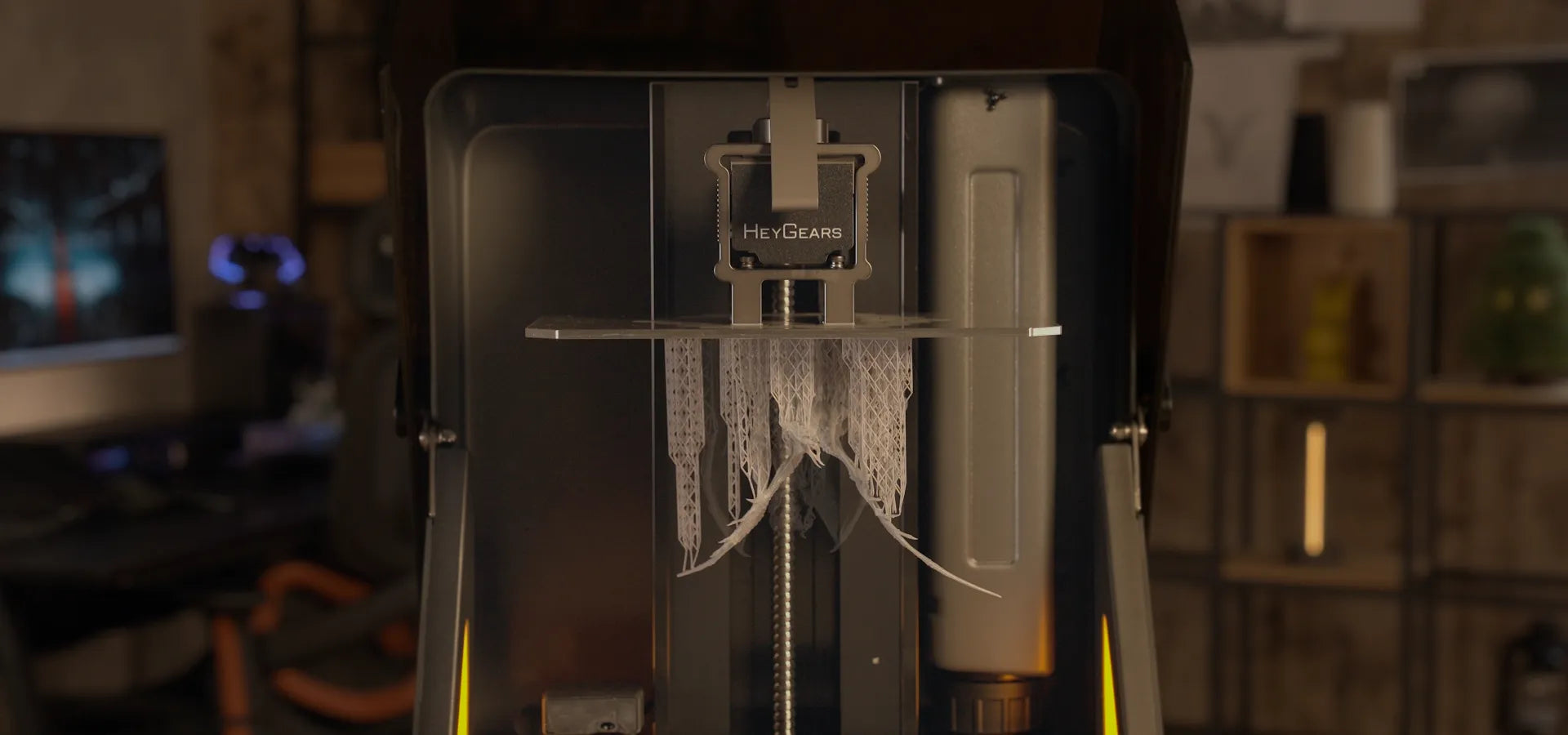
Injection-Mold Detail in Roughly Half the Time
Complex lattice structures that take 4+ hours on conventional printers finish in around 2 hours on the RS Turbo at 50 μm layers under 7 cm height, with surface finish and dimensional accuracy that match or beat slower machines running identical geometry. A high-rigidity frame holds flex within ±2 μm and active cooling lowers screen temperature by up to 10°C during fast runs.
Speed in Its Class
4.5 s/Layer Average — Without the Accuracy Penalty
With PAWW20 resin the RS Turbo averages 4.5 seconds per layer on lattice models, ahead of entry-to-mid-range printers in the same price range. Where lower-spec speed modes give up dimensional accuracy to hit their numbers, DMA 3.0 keeps the tolerance intact.
Built to Run Batches, Not Just One-Offs
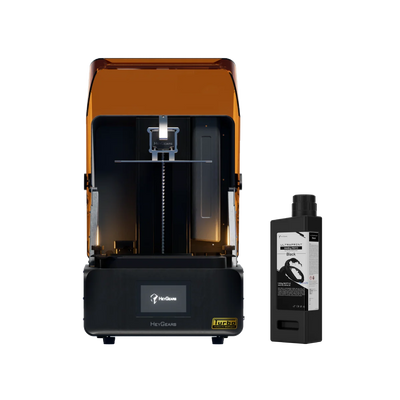
Fast cycles, repeatable accuracy, and hands-off automation are what let a shop print a tray, reload, and print again without babysitting the machine. The RS Turbo is sized for that rhythm.
Auto Leveling, Residue Detection, Resin Refill — Hands-Off Printing
The RS Turbo handles the failure modes that stop other printers. Force sensors, floating-screen leveling, and continuous resin monitoring run on every job — whether you're at the bench or not.
Residue Detection
0.1 N Force Sensor — Auto-Stops Before Damage
Force sensors monitor release force during each layer peel. If resin residue as small as 0.2 mm adheres to the release film, the sensor detects the anomalous force and triggers an automatic stop — before residue can crack the screen or cause a platform collision.
Floating-Screen Auto Leveling
0.15° Deviation — 240 μm Gap Compensation, Every Run
The floating-screen system lets the LCD assembly flex up to ±0.15°, automatically compensating for build-platform tilt at the start of every print. Gaps up to 240 μm between platform and tank floor are taken out without a manual leveling routine or test prints.
Automatic Resin Refill
Refills Before and During Printing — Never Run Dry Mid-Job
The RS Turbo monitors resin level continuously and triggers refill from the attached bottle both before and during active printing, so long jobs don't need an operator standing by. If the bottle runs empty, the print stops cleanly instead of continuing and producing waste parts.
Automatic Resin Heating (Optional)
RS Heated & Pulsing Release Tank — 10°C to 22°C in 20 Minutes
The optional RS Heated & Pulsing Release Resin Tank adds an integrated heater that brings resin from 10°C to the optimal 22°C in roughly 20 minutes, then holds it there for the whole print. Cold resin is the most common hidden cause of first-layer failures — especially in shops without climate control in winter — and the heated tank removes that variable entirely.
HeyGears UltraPrint Resins — Tuned for the RS Turbo
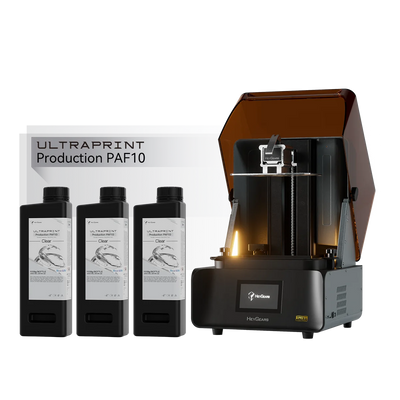
Each UltraPrint resin is matched to the RS Turbo's adaptive process packages. The machine runs a 405 nm light source, so the broad majority of standard UV resins are compatible. Rev1 stocks the lineup and advises on the right resin before you commit.
Built for Detail-Driven Production Environments
29.7 μm pixel pitch and 566:1 contrast make the RS Turbo the right call wherever fine detail, consistent output, and high batch yield matter.
Blueprint Studio — From STL to First Layer in Under a Minute
Blueprint Studio (BPS) is HeyGears' integrated slicer, included free with no subscription. Drop in your STL, click once, and BPS auto-orients for success, repairs mesh errors, generates intelligent scaffold supports, and slices — no manual parameter entry. Rev1 installs and configures BPS during setup so you print on day one.
Complete pre-processing in under a minute — auto-orient, mesh repair, intelligent supports, and slice. No manual setup required.
BPS detects and repairs inverted normals, open holes, intersecting shells, and non-manifold geometry before slicing — silently and automatically.
Contact-point geometry calibrated to the RS Turbo's peel-force profile — supports hold during printing and release cleanly without pitting.
Buy the Printer, or Build the Full Workflow
The RS Turbo starts at $799 for the printer. Add a resin bundle, the UltraCraft Cure station, or the Pulsing Release Module right in the buy-box above — the price updates live as you configure.
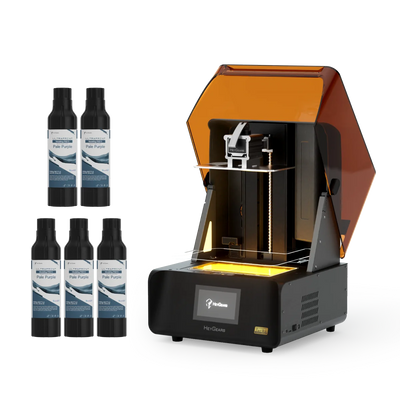
Ships Assembled, Calibrated, and Supported
Every RS Turbo arrives fully assembled and factory-calibrated. Rev1 handles delivery, Blueprint Studio setup, and operator training, then stays on as your US source for resin, screens, and release film.
Pair the RS Turbo with the HeyGears Ecosystem
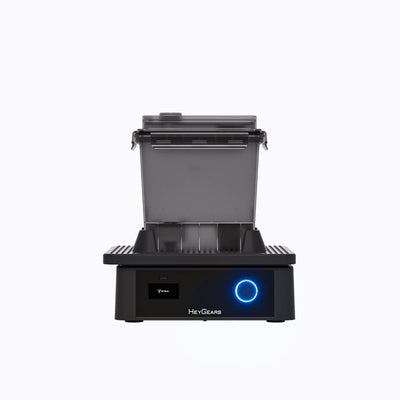
Minimal-contact wash station with an integrated cycle for RS Turbo prints. Compatible with IPA and water-washable resins.
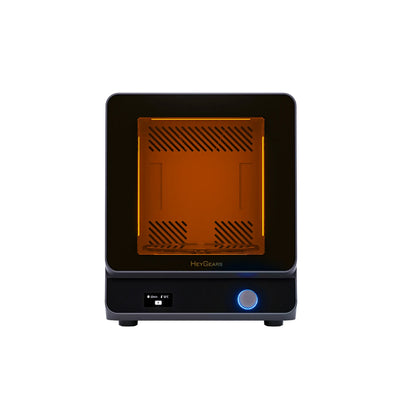
Dual UV-wavelength curing with an added heating function for greater material performance — an interconnected print-to-cure strategy with no parameter juggling.
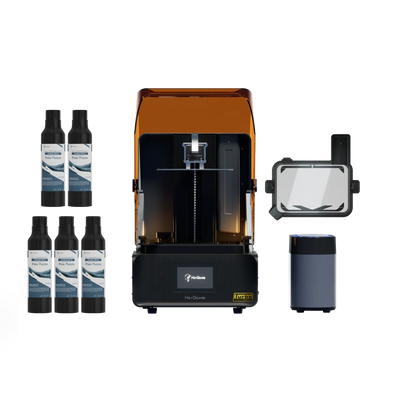
Cuts peel force by up to 50% for fewer supports, faster peel speeds, and a far lower detachment-failure rate. Includes the heated & pulsing tank.
Everything to Print on Day One

Fully assembled and calibrated, ready to print on first power-on.

Release-film tank pre-installed and ready to fill.

Sandblasted anodized aluminum for consistent first-layer adhesion.

US power cord, 100–240 V compatible.

FEP scraper and part-removal tool for clean post-print handling.

Full tool kit for installation, maintenance, and field adjustments.
Reflex RS Turbo vs. Elegoo Jupiter SE vs. Phrozen Sonic Mega 8K S
Compared against the large-format desktop resin printers it competes with — both priced above it. Specifications sourced from published manufacturer data; Rev1 can build an application-specific comparison on request.
| Capability | HeyGears Reflex RS Turbo | Elegoo Jupiter SE | Phrozen Sonic Mega 8K S |
|---|---|---|---|
| Entry Price | $799 | ~$1,300 | ~$1,499 |
| Screen | 8K Amber Screen — 566:1 contrast | 6K mono LCD | 8K mono LCD |
| XY Native Pixel | 29.7 μm | ~51 μm | ~43 μm |
| Z-Axis Accuracy | ±2 μm C5 grade · 50 kg load | Not published | Not published |
| Print Speed | 4.5 s/layer avg · DMA 3.0 +33% | Not published per layer | Not published per layer |
| Auto Leveling | Floating screen · 240 μm compensation | Manual leveling | Factory-fixed plate |
| Residue Detection | 0.1 N sensor · auto-stop | Not standard | Not standard |
| NFC Screen Calibration | Yes — auto on swap | No | No |
| US Partner Support | Rev1 — install, train, service | Consumer direct / community | Consumer direct / community |
HeyGears UltraCraft Reflex RS Turbo — Technical Data
RESOURCES
Downloads & Technical Support
Everything you need to qualify and run your Reflex RS Turbo with confidence — from manufacturer documentation to Rev1 application engineering.
WHY REV1 TECH
Authorized HeyGears Reseller. Resin Production Specialists.
Rev1 Technologies is headquartered in Auburn Hills, MI, with direct expertise in production resin workflows. We don't just ship boxes — we deploy, configure, train, and support your team so the RS Turbo runs at full capability from day one.